5 Best Loom Alternatives in 2026 (Matched to Your Use Case)
Vidyard, Tella, Descript, Camtasia, and ShareRec are the five strongest Loom alternatives in 2026 — each winning a distinct use case.
- Vidyard: Best for sales teams and video prospecting. Free tier available; Pro starts at $19/mo with Salesforce and HubSpot integrations and per-viewer analytics.
- Tella: Best for polished async team communication. Custom backgrounds, branded layouts, and multi-scene recording; Pro around $19/mo.
- Descript: Best for AI-powered editing. Auto-transcription, filler word removal, and text-based video editing; Creator plan at $24/mo.
- Camtasia: Best for professional video production. Timeline editor, eLearning quizzes, and effects library; one-time license at ~$299 or ~$179/year.
- ShareRec: Best for quick shareable recordings. Keep any video forever in one click, or let it auto-expire in 30 days by default; free tier keeps your 25 most recent videos — an instant link with no upload step.
Loom's free tier caps at 25 videos of 5 minutes each, and paid plans start at $15/mo. If Loom's pricing or feature weight doesn't fit your workflow, the five tools above cover every replacement scenario.
The Best Loom Alternatives in 2026 (Matched to Your Use Case)
Loom charges $15/mo per user on its Starter plan and limits free accounts to 25 videos — constraints that make it the wrong tool for many teams in 2026. The free tier's 25-video cap forces a choice between deleting recordings or upgrading, and the full feature set (AI chapters, CTA buttons, team workspaces) is overkill for users who just need a shareable link fast. If you're searching for loom alternatives 2026, the core challenge is that no single replacement matches Loom across every workflow — but each tool below wins a distinct job.
Vidyard is purpose-built for sales pipelines, with CRM integrations and per-viewer analytics that justify its $19/mo price tag for SDRs and AEs. Tella targets teams that want high-production async video with branded layouts and multi-scene recording. Descript is for editors who think in text, using auto-transcription to drive the editing workflow. Camtasia serves eLearning and formal training production with its timeline editor and SCORM export. ShareRec handles the zero-friction, instant-link recording case — an instant shareable link in under 30 seconds with no upload step — that none of the others prioritize.
The comparison table and decision framework below identify which one fits your workflow.
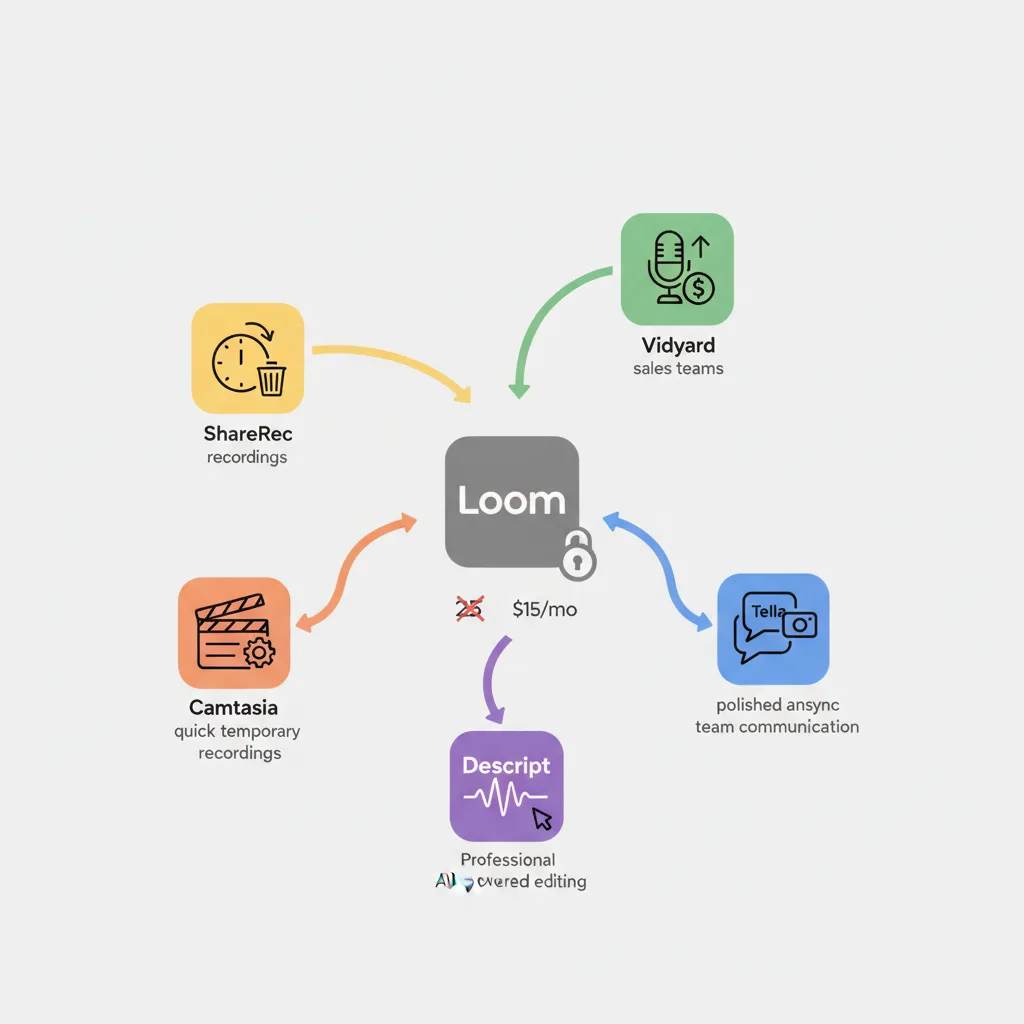
Loom Alternatives Compared at a Glance
The five tools below span free-to-use through $299 one-time purchase, with AI features, mobile support, and free tier constraints varying significantly across each.
| Tool | Best For | Free Tier | Starting Price | AI Features | Mobile Support | Key Limitation |
|---|---|---|---|---|---|---|
| Vidyard | Sales prospecting & CRM workflows | Yes (recording limits apply) | $19/mo (Pro) | Basic video analytics | iOS & Android apps | Overkill for non-sales users |
| Tella | Polished branded async video | Yes (limited exports) | $19/mo (Pro) | No AI at base tier | iOS app; limited Android | More setup than lightweight tools |
| Descript | Text-based AI editing & transcripts | Yes (1 hr transcription/mo) | $24/mo (Creator) | Auto-transcription, filler removal, AI summaries | iOS only | Desktop app; steep learning curve |
| Camtasia | Professional production & eLearning | 30-day trial only | $179/year or $299 one-time | None | No mobile app | Windows/Mac desktop only; no instant share |
| ShareRec | Quick shareable recordings, flexible expiry | Yes (5-min cap, 720p, keeps your 25 most recent, 30-day default expiry — keep any forever in one click) | $8/mo (Pro) | None | No mobile app | No webcam overlay, no team workspace, trim/clip only |
Loom's free tier caps at 25 videos of 5 minutes each — context that makes ShareRec's free tier (keep any video forever in one click) and Vidyard's free tier meaningful comparisons for budget-conscious users.
Vidyard: Best for Sales Teams and Video Prospecting
Vidyard's free tier supports screen and webcam recording with a shareable link, while its Pro plan at $19/mo adds per-viewer analytics, CRM integrations, and in-video CTAs built specifically for sales workflows. Best for: SDRs, AEs, and sales teams sending personalized video outreach.

Vidyard records screen, webcam, or both, then generates a shareable link immediately. The viewer-side experience includes a branded landing page; sales reps can track who watched, how long, and whether they clicked a CTA — data that surfaces directly in the rep's dashboard without manual logging.
CRM integrations with Salesforce and HubSpot let reps log video views directly to contact records without manual entry. In-video CTAs can link to a calendar booking page, pricing page, or contract — making Vidyard one of the few screen recorders with a direct pipeline conversion mechanism. Analytics and CRM sync require Pro at $19/mo per user.
The free tier limits recording length to a short cap (Vidyard has adjusted this over time; verify current limits at vidyard.com before committing) and excludes analytics entirely. For a five-person sales team on Pro, that's $95/mo — a meaningful line item that's easier to justify when video open rates and CTA clicks are tracked against pipeline outcomes.
Vidyard's feature set is calibrated for sales. Users outside that workflow — internal comms, async team updates, eLearning — will find the analytics dashboard irrelevant and the per-user pricing hard to justify. Android users are supported via the Vidyard mobile app, making it one of only two tools in this comparison with full Android recording capability.
Best for: sales reps and SDRs who need CRM-integrated video analytics and are willing to pay $19/mo per user for pipeline-specific features.
Tella: Best for Polished Async Team Communication
Tella's Pro plan at $19/mo includes custom backgrounds, branded recording layouts, and multi-scene recording — features that make async video feel closer to produced content than a screen capture. Best for: teams that send async video updates, walkthroughs, or onboarding content and care about visual presentation.
Tella records screen and webcam simultaneously with configurable layouts — split-screen, picture-in-picture, or webcam-only. Multi-scene recording is one of Tella's most practical differentiators: rather than recording one continuous take and editing afterward, users can plan a recording in scenes — an intro segment, a screen walkthrough, a closing webcam segment — and stitch them together in a single session without any post-production software.
Custom backgrounds and branded frames distinguish Tella from tools that produce raw, unformatted recordings. A team lead sending a Monday async update in Tella can apply a company-branded frame and background, making the video feel intentional rather than improvised.
On the free tier, export options are limited: videos can be shared via Tella's hosted link, but downloads are restricted and exports may include a Tella watermark depending on current plan terms — verify at tella.tv before relying on free-tier exports for client-facing content. Pro unlocks custom branding, full export without watermarks, and longer recording sessions.
One transparency note: Tella publishes its own "Loom alternatives" comparison page, which naturally positions Tella favorably. The assessment above is based on independent feature evaluation.
Tella integrates with Notion and Slack. It has no AI transcript features at the base tier and limited Android support.
Best for: teams and individuals who send frequent async video updates and want branded, polished output without a post-production editing step.
Descript: Best for AI-Powered Editing with Auto-Transcripts
Descript's Creator plan at $24/mo includes automatic transcription, filler word removal, and text-based video editing — users edit the transcript to cut video, rather than scrubbing a timeline. Best for: content creators, podcasters, and teams that produce video requiring significant post-recording editing.
Descript transcribes recordings automatically and displays the transcript alongside the video timeline. Deleting a word or sentence in the transcript removes the corresponding video segment — faster than traditional timeline editing for spoken-word content and requires no prior video editing experience.
Auto-transcription supports multiple languages. Filler word removal ("um," "uh," "like") runs automatically with one click. AI summaries generate chapter markers and highlight reels from the transcript. The Overdub feature, available on the Pro plan at ~$40/mo, enables voice cloning — Descript trains a synthetic voice model on a sample of your speech, then lets you type corrections rendered in your cloned voice. This means a training video recorded six months ago can be corrected with a text edit rather than a full reshoot.
Free tier: 1 hour of transcription per month with watermarked exports. Creator plan: ~$24/mo — removes watermarks, adds unlimited transcription, and unlocks AI summaries. Pro: ~$40/mo adds Overdub voice cloning and advanced collaboration.
Descript is a desktop application for Windows and Mac, with a steeper learning curve than simple screen recorders. Mobile recording is available via an iOS app; there is no Android recording app.
Best for: content creators, L&D teams, and podcasters who need AI transcription and want to edit video by editing text rather than scrubbing a timeline.
Camtasia: Best for Professional Video Editing and Production
Camtasia costs $299 as a perpetual license (or $179/year) and includes a multi-track timeline editor, annotations, callouts, and built-in quizzes — making it the standard tool for eLearning and training video production. Best for: instructional designers, L&D teams, and anyone producing formal training content.
Camtasia records screen and webcam, then opens footage in a full timeline editor supporting multiple video and audio tracks, transitions, zoom-and-pan effects, and interactive elements like quizzes and clickable hotspots. The quiz builder embeds questions directly into the video playback — learners answer without leaving the video player — and results can be passed to an LMS via SCORM export.
SCORM is the standard format used by learning management systems including Moodle, Canvas, Blackboard, and TalentLMS. Camtasia's SCORM export packages the video, quiz logic, and completion tracking into a single file that uploads directly to any SCORM-compliant LMS — a workflow that no other tool in this comparison supports.
No meaningful free tier — 30-day trial only. Perpetual license is approximately $299 (Windows or Mac). Subscription is approximately $179/year and includes updates.
Camtasia is Windows and Mac desktop only — no browser-based recording, no mobile app. There is no instant shareable link workflow: users must export to MP4, then upload to a hosting platform before sharing. This adds 10–30 minutes to the workflow compared to tools like ShareRec or Vidyard that generate a link immediately after recording.
Best for: instructional designers and L&D teams producing formal training content who need a quiz builder, SCORM export, and a professional timeline editor.
ShareRec: Best for Quick Shareable Recordings with Flexible Expiry
ShareRec's free tier gives instant shareable links, and its Pro plan at $8/mo is the lowest paid tier among tools in this article. Best for: individuals and teams who need a shareable link in under 30 seconds without an install.
ShareRec records screen and voice directly from the browser — no download required. After recording, it generates a shareable link immediately with no upload step. You keep any video forever in one click, or let it auto-expire in 30 days by default — a 3-day email warning fires before anything is deleted, so nothing important is ever lost while your library tidies itself.
The free tier supports 5-minute recordings at 720p and keeps your 25 most recent videos (older ones retire as new ones are added). Pro at $8/mo extends recording length and resolution and unlocks unlimited videos. The one-click keep-forever control, a 30-day default that keeps things tidy, and a no-install browser workflow are the primary differentiators from tools that require a download.
Limitations must be stated clearly: the 5-minute free cap rules out longer walkthroughs. ShareRec has no AI features — no transcription, no summaries, no auto-chapters. Editing is limited to trim and clip; no annotations, drawing tools, callouts, or webcam overlay. No team workspace or shared library. No mobile app.
Best for: individuals and teams who need to send a recording in under 30 seconds without an install or AI features.
How to Choose the Right Loom Alternative for Your Use Case
The five tools above serve five distinct jobs — matching your workflow to the right tool eliminates paying for features you won't use.
-
If you're in sales and need CRM analytics: Use Vidyard. Its Salesforce and HubSpot integrations and per-viewer watch data are purpose-built for pipeline workflows — no other tool in this list offers equivalent sales analytics.
-
If you want polished branded async video for your team: Use Tella. Custom backgrounds, branded layouts, and Notion/Slack integration make it the strongest option for teams that send frequent, presentation-quality async updates.
-
If you need AI transcripts and text-based editing: Use Descript. Auto-transcription, filler word removal, and the transcript-editing workflow are features no other tool here matches. Creator plan at $24/mo covers most use cases.
-
If you're producing training videos or eLearning content: Use Camtasia. The timeline editor, quiz builder, and SCORM export are the only production-grade features in this group. Budget for the $299 license or $179/year subscription.
-
If you need an instant shareable link in under 30 seconds: Use ShareRec. The free tier gives instant links with no upload step, and you keep any video forever in one click — the fastest path from record to share in this comparison.
Key Takeaways
- Vidyard offers a free tier with CRM integrations (Salesforce, HubSpot) and per-viewer analytics on Pro at $19/mo — purpose-built for sales teams; Android users are supported via the Vidyard mobile app.
- Tella delivers branded async video with custom backgrounds and multi-scene recording; Pro is $19/mo with Notion and Slack integration; Android support is limited, so verify current app availability before committing.
- Descript edits video by editing transcript text — auto-transcription and filler word removal included on the Creator plan at $24/mo; iOS recording app available, no Android app.
- Camtasia is the only tool in this group with a quiz builder and SCORM export for LMS platforms; costs $299 (one-time) or $179/year with no meaningful free tier.
- ShareRec is best for zero-friction shareable recordings — keep any video forever in one click (or let it auto-expire in 30 days by default), free tier keeps your 25 most recent videos, and Pro starts at $8/mo, the lowest paid entry point in this comparison.
Frequently Asked Questions
What is the best free Loom alternative in 2026?
ShareRec and Vidyard are the two strongest free options. ShareRec's free tier keeps your 25 most recent videos — each auto-expires after 30 days by default unless you keep it forever in one click — though each video is capped at 5 minutes. Vidyard's free tier includes recording and link sharing but applies recording limits. ShareRec suits quick shareable recordings; Vidyard suits sales-oriented workflows.
Which Loom alternative is best for sales teams?
Vidyard is the strongest sales-focused option, with Salesforce and HubSpot integrations, per-viewer watch analytics, and in-video CTAs that link directly to booking pages or contracts. Teams running high-volume outbound campaigns should also evaluate Dubb and Hippo Video, which offer similar CRM-integrated video prospecting features.
Which Loom alternative has the best AI features?
Descript leads on AI features — auto-transcription, filler word removal, AI summaries, and text-based editing are all included on the Creator plan at $24/mo. Worth noting: Loom itself has added AI features (auto-chapters, transcripts, summaries) on its paid plans, so users should compare Descript's AI capabilities against Loom's current AI tier before migrating.
Can I use a Loom alternative on Android?
Vidyard and Tella both have mobile apps with Android support. ShareRec, Camtasia, and Descript do not have Android recording apps — ShareRec and Descript have no mobile app at all, and Camtasia is desktop-only. For Android-first workflows, Vidyard is the most capable option among the five tools in this article.
What is the cheapest Loom alternative?
ShareRec Pro at $8/mo is the lowest paid tier among tools in this article — roughly half the cost of Loom Starter ($15/mo), Vidyard Pro ($19/mo), and Tella Pro ($19/mo). For users who only need a free tier, both ShareRec (keeps your 25 most recent videos, keep any forever in one click) and Vidyard (recording with limits) avoid any monthly cost entirely.
Related: Comparing Loom and ShareRec side by side? See our Loom vs ShareRec deep-dive — pricing, AI features, free tiers, and use cases compared in detail.
Try it free
Record your first walkthrough free in 30 seconds
No install, no watermark — share a link instantly.
Start Recording Free