Screen Recorder with Auto-Delete and Expiring Videos: 5 Tools Compared (2026)
Vmaker, ScreenRec, Loom, Bandicam, and ShareRec are the five screen recorders most often compared for auto-delete and expiring video workflows — each winning a distinct use case, with ShareRec the standout for flexible, built-in expiry that's free. If you're sharing a screen recording of a client walkthrough, a bug report, or a sensitive internal discussion, you may not want that video sitting in a shared library forever — or you may want the opposite: a specific video kept live indefinitely. Auto-delete in screen recording — also called video expiration — is a deliberate workflow choice, not just a storage trick, and two tools here offer it natively: Vmaker (paid) and ShareRec (free, with a 30-day default you can override per video).
- Vmaker — Best for configurable auto-delete with a full feature set. Set a custom expiration period on any video; auto-delete is a native feature on paid plans (~$15/mo).
- ScreenRec — Best free screen recorder for instant sharing. No auto-delete or expiration options — the right pick for permanent, always-accessible recordings at no cost.
- Loom — Best for async video with viewer analytics and integrations. Videos persist indefinitely; wins on engagement data, AI transcripts, and 50+ tool integrations at $15/mo.
- Bandicam — Best for long-duration and high-resolution recordings. Supports 24h+ sessions at 4K; local files only, no cloud sharing or auto-delete, $39.95/year.
- ShareRec — Best for flexible, built-in expiry at no cost. Videos auto-expire 30 days after recording by default on every tier; keep any video forever in one click, or set a custom 24-hour or 7-day window — and you're emailed 3 days before anything is deleted. Free tier keeps your 25 most recent videos at a 5-min cap; Pro at $8/mo.
What Is Auto-Delete in Screen Recording (and Why Does It Matter)?
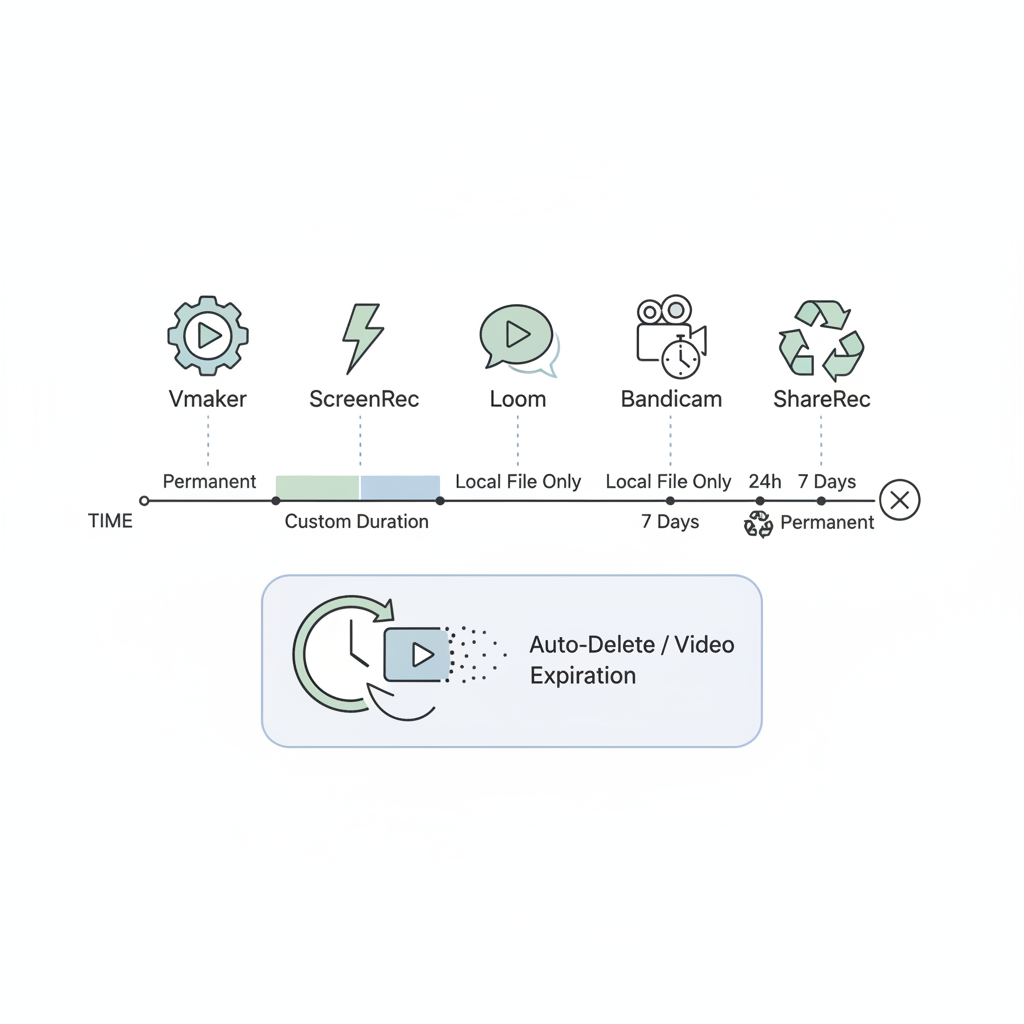
Auto-delete in screen recording — also called video expiration — automatically removes a recording or its shareable link after a set time period, typically 24 hours, 7 days, or a custom duration set by the recorder. Once the expiration window passes, the video is no longer accessible to viewers. This is distinct from manual deletion, which requires the creator to actively remove the file.
Four use cases drive demand for this feature:
- Async feedback loops — share a quick review recording without cluttering a team's shared video library permanently
- Sensitive content — client walkthroughs, bug reports, or internal discussions that shouldn't persist after the recipient has acted on them
- Storage management — auto-purge recordings from long sessions to avoid runaway cloud storage costs
- Compliance-adjacent workflows — teams in regulated industries who need to limit how long screen recordings are retained
Auto-delete enforces a retention policy without relying on anyone remembering to clean up; manual deletion works only as well as the person responsible for doing it.
Comparison Table: Screen Recorders with Auto-Delete Features
Two tools in this comparison offer native auto-delete — Vmaker (paid plans) and ShareRec (free, with a 30-day default you can override per video); the others require manual deletion or offer no expiration policy at all.
| Tool | Auto-Delete / Expiration Options | Free Tier | Starting Price | Platform | Best For |
|---|---|---|---|---|---|
| Vmaker | Custom expiration (user-set duration) | Yes | ~$15/mo (paid plans) | Web, Windows, Mac, Chrome | Configurable auto-delete with full feature set |
| ScreenRec | None | Yes (unlimited length) | Free | Windows, Mac | Instant sharing, no expiration needed |
| Loom | None (manual delete only) | Yes (25 videos max) | $15/mo (Business) | Web, Windows, Mac, iOS, Android | Async video with analytics |
| Bandicam | None (local files, manual management) | No (watermarked) | $39.95/year | Windows only | Long-duration and 4K recordings |
| ShareRec | Native — 30-day default, per-video (Never / 24h / 7d / 30d), emailed 3 days before deletion | Yes (keeps 25 most recent, 5-min cap, 720p) | $8/mo (Pro) | Web, Windows, Mac | Flexible free expiry with one-click keep-forever |
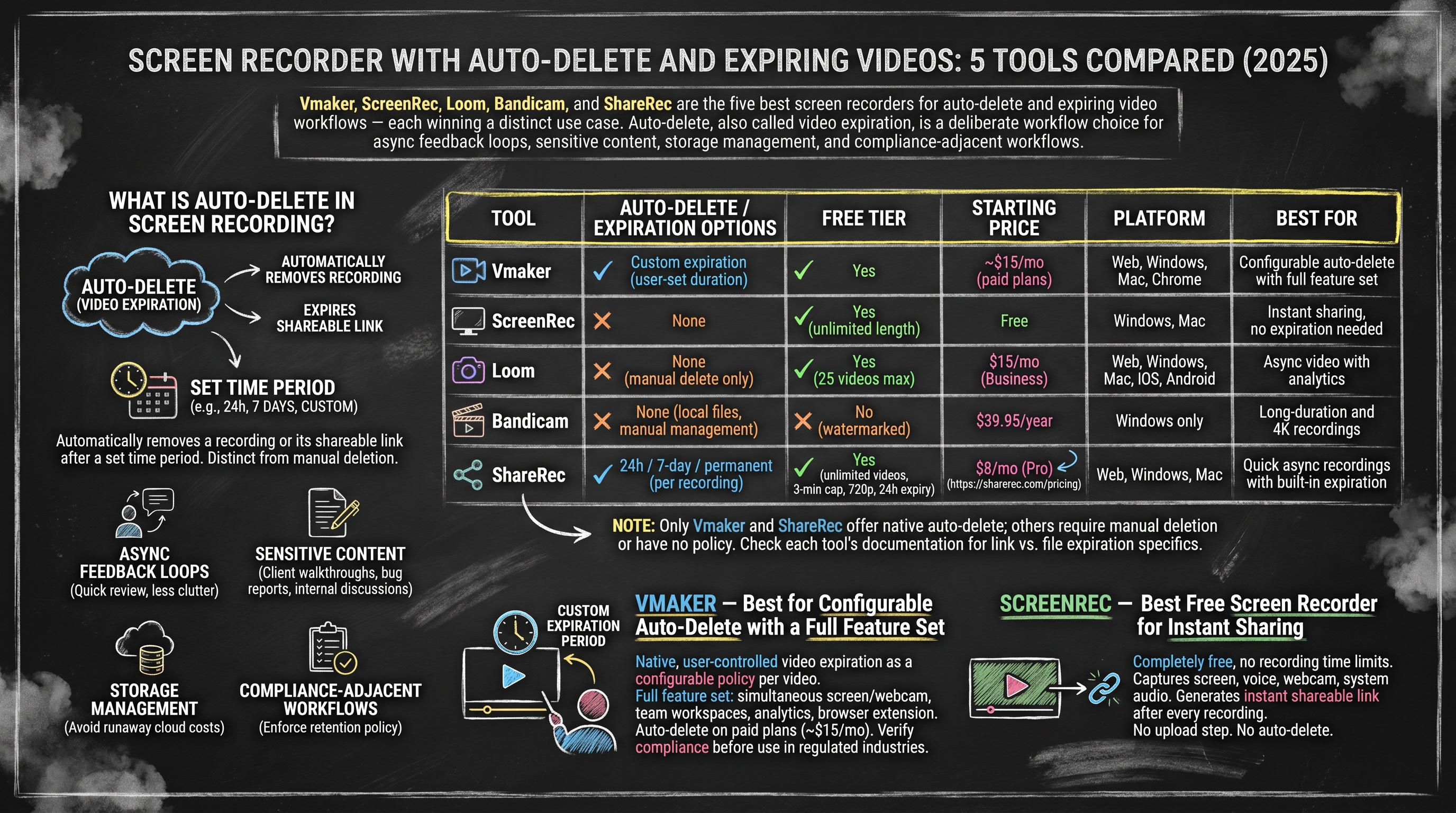
Auto-delete availability varies — some tools expire the shareable link only, while others delete the underlying file. Check each tool's documentation for specifics.
Vmaker — Best for Configurable Auto-Delete with a Full Feature Set
Vmaker is the only tool in this comparison that offers native, user-controlled video expiration as a configurable policy — users set a custom expiration period on any individual video they create.
Vmaker supports screen and webcam recording simultaneously, a Chrome extension for browser-based capture, team workspaces with shared video libraries, and per-video analytics including view counts and watch duration. The auto-delete feature applies at the video level — each recording carries its own expiration setting rather than a blanket account-wide policy. In practice, this means two recordings made on the same day can have completely different expiration windows: one might expire in 24 hours while another is set to persist for 30 days, giving teams granular control over what stays accessible and what disappears automatically.
Paid plans start at approximately $15/month (verify current pricing at vmaker.com). Auto-delete is not available on the free tier. The pricing is higher than lightweight tools in this comparison, and the full feature set — team workspaces, analytics, integrations — may exceed the needs of solo users who only want quick recordings. No publicly documented HIPAA or GDPR compliance certifications are available at time of writing; verify directly with Vmaker before using in regulated-industry workflows.
Best for: Teams that want auto-delete as a configurable policy alongside a full async video platform — not solo users who only need quick recordings.
ScreenRec — Best Free Screen Recorder for Instant Sharing
ScreenRec is completely free with no recording time limits, capturing screen, voice, webcam, and system audio — and generating an instant shareable link after every recording.
No account is required for basic use. ScreenRec imposes no cap on recording length and works on Windows and Mac. Every recording produces a shareable link immediately after capture — no upload step, no processing delay; the link is ready the moment the recording stops. This makes it practical for support teams, developers, and anyone who needs to share context quickly without waiting for a file to process or upload.
ScreenRec does not offer auto-delete or video expiration on any tier. Videos persist in the cloud until manually deleted. There is no team workspace on the free tier, and editing tools are limited — ScreenRec is a capture-and-share tool, not a video editing platform. For users who need recordings to expire automatically, ScreenRec is not the right choice. For support documentation, onboarding videos, or reference recordings that teammates return to repeatedly, it is the most cost-effective option available.
Best for: Individuals and teams who want a free, no-frills recorder for permanent async sharing — not for users who need recordings to expire.
Loom — Best for Async Video with Viewer Analytics and Integrations
Loom provides viewer-level analytics — showing exactly who watched a recording, how long they watched, and where in the video they dropped off — alongside integrations with Slack, Notion, Jira, GitHub, and 50+ other tools.
Viewer analytics in Loom are concrete and actionable: you can see each named viewer's watch percentage, identify the exact timestamp where engagement fell off, and use that data to improve future recordings or follow up with viewers who didn't finish. The webcam bubble overlay, emoji reactions, and timestamped comments make Loom the strongest option in this comparison for async communication that replaces synchronous meetings — viewers can respond in context without scheduling a call.
Loom's Business plan ($15/mo — verify at loom.com) adds AI-generated transcripts, chapter summaries, and searchable video content; these features are not available on the free tier. Free tier users are capped at 25 videos total and must manually delete older recordings to add new ones — there is no automated cleanup, which means the free tier is not practical for high-volume recording workflows. Loom does not offer auto-delete or video expiration on any plan. Videos persist indefinitely unless manually removed.
Best for: Teams that need async video with rich analytics, integrations, and AI features — not for users who need recordings to expire automatically.
Bandicam — Best for Long-Duration and High-Resolution Recordings
Bandicam supports recording sessions exceeding 24 hours without interruption, at resolutions up to 4K Ultra HD (3840×2160) — the only tool in this comparison built for extended, high-fidelity local capture.
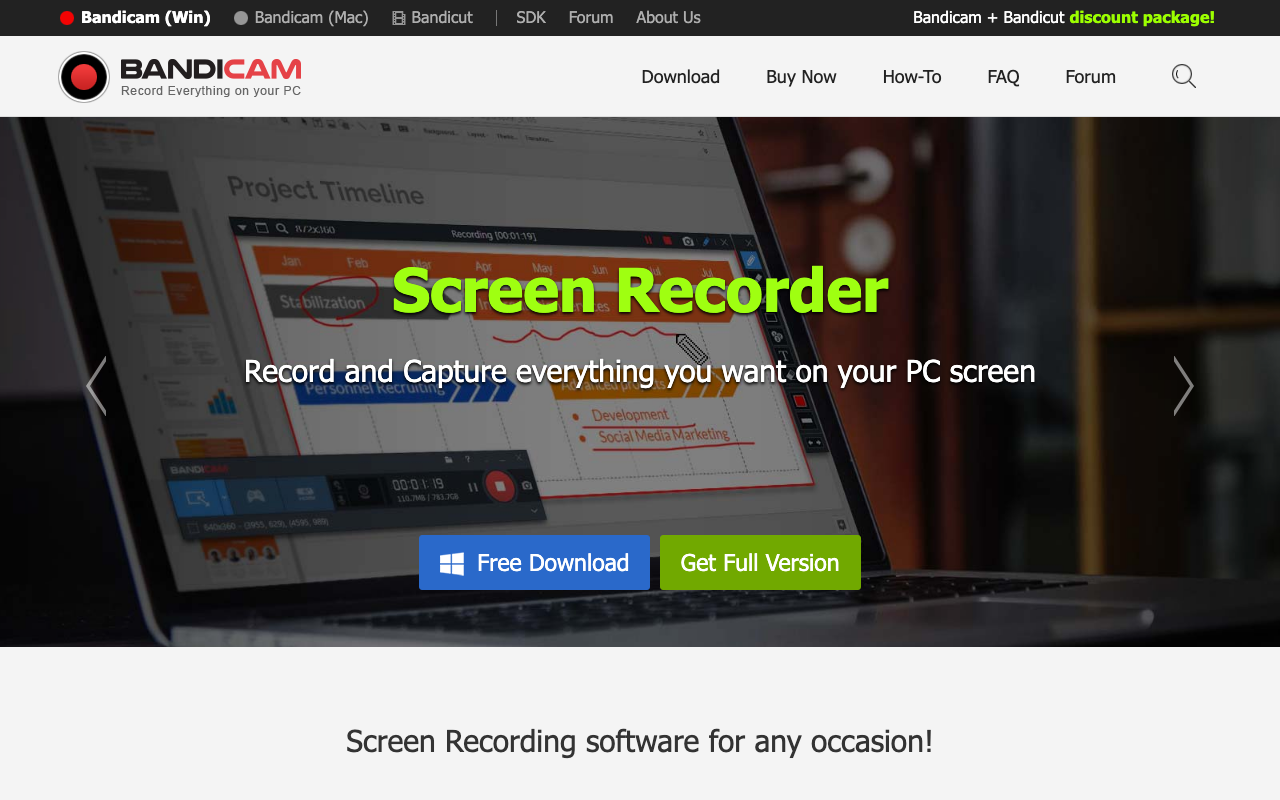
For users asking whether they can screen record for 7 hours: yes, Bandicam handles sessions well beyond 7 hours without stopping or splitting files. The only real constraint is available local storage. Bandicam also includes a scheduled recording mode that lets users set a precise start and stop time — useful for unattended capture of live streams, webinars, or monitoring feeds. A silent recording mode runs the software without a visible interface or system tray indicator, keeping the recording process unobtrusive during presentations or screen shares.
Real-time drawing tools remain active during recording, allowing annotations without pausing capture. The paid license costs $39.95/year (verify at bandicam.com); the free version adds a watermark to all recordings, making it unsuitable for professional use without purchase. Bandicam is Windows-only with no Mac version available. There is no cloud sharing, no shareable link generation, and no async collaboration features of any kind — all recordings save to local files, and storage management is entirely manual with no auto-delete.
Best for: Users who need long-duration, high-resolution local recordings on Windows — monitoring, surveillance, long tutorials, gameplay capture.
ShareRec — Best for Flexible, Built-In Expiry That's Free
ShareRec generates a shareable link immediately after recording stops, and every video auto-expires 30 days later by default on every tier — the only free tool in this comparison with native, per-video expiration. Keep any video forever in one click, or set a custom 24-hour or 7-day window; you're emailed 3 days before anything is deleted.
The free tier keeps your 25 most recent recordings, capped at 5 minutes per recording at 720p; an account is required — signup takes under a minute. Pro at $8/mo raises the cap to 30 minutes, upgrades to 1080p, and adds unlimited videos. Business at $12/mo adds a 2-hour cap. Every video auto-expires 30 days after recording by default on every tier — a clean window that keeps your library tidy and private without any manual cleanup. You control it per video: switch any recording to Never (keep forever), 24 hours, 7 days, or 30 days in one click, and a countdown on each video plus an email 3 days before deletion means nothing disappears by surprise. Editing tools include trim and clip, which is sufficient for removing dead air or trimming the start and end of a recording. Screen and voice capture work in one click with no upload step; the shareable link is generated as soon as the recording ends.
ShareRec has no AI features — no transcripts, no chapter summaries, no searchable video content. There is no webcam bubble overlay, no emoji reactions, and no timestamped comments. No team workspace or shared library is available on any tier. There are no third-party integrations. Editing is limited to trim and clip; no annotations, drawing tools, or effects are available. For users who need those capabilities, Loom or Vmaker are the appropriate alternatives.
Explore ShareRec's pricing and plans for a complete breakdown of what each plan includes.
Best for: Anyone who wants built-in expiry without paying for it — sharing client walkthroughs, bug reports, or sensitive internal recordings that should tidy themselves after 30 days, while keeping anything important forever in one click. (For per-video custom windows on a full team platform, Vmaker is the paid alternative.)
Key Takeaways
Of the five tools compared, two offer native auto-delete — Vmaker (paid) and ShareRec (free, with a 30-day default you can override per video); the others keep recordings until you delete them manually.
- Vmaker — configurable auto-delete on paid plans (~$15/mo); custom expiration set per individual video.
- ScreenRec — completely free, no recording time limit, instant shareable links; no auto-delete on any tier.
- Loom — viewer analytics, AI transcripts, 50+ integrations at $15/mo (Business); videos persist indefinitely.
- Bandicam — 24h+ recording sessions at 4K for $39.95/year; Windows only, local files, no auto-delete.
- ShareRec — native, free auto-delete: 30-day default on every tier, per-video Never / 24h / 7d / 30d control, and a 3-day email warning before deletion; free tier keeps your 25 most recent videos, 5-min cap; Pro at $8/mo.
- ShareRec is the only tool here that offers auto-delete for free — Vmaker's expiration is paid-only, and ScreenRec, Loom, and Bandicam offer no expiration policy at all.
- If auto-delete is a requirement rather than a nice-to-have, ShareRec (free, 30-day default with per-video control) and Vmaker (paid, custom per-video windows) are the two tools in this comparison that offer it natively.
Frequently Asked Questions
How do I screen record disappearing videos?
"Disappearing videos" has two meanings. To record ephemeral content (Snapchat, Instagram Stories) before it vanishes, any screen recorder works — but check the platform's terms of service first. To make your own recordings disappear after sharing, use ShareRec or Vmaker. ShareRec auto-expires every video 30 days after recording by default (free on every tier), and you can set any recording to a 24-hour or 7-day window — or keep it forever in one click. Vmaker sets custom expiration windows on the shareable link on paid plans.
How do I record the last 10 minutes on PC?
Recording the last 10 minutes requires a replay buffer feature — the software records continuously in the background and saves only the most recent window when triggered. Windows' built-in Xbox Game Bar (Win + Alt + G) and NVIDIA ShadowPlay both support this. Standard screen recorders in this comparison record forward in real time and do not buffer past footage.
Can I screen record for 7 hours?
Yes, with the right tool. Bandicam supports sessions exceeding 24 hours — local storage is the only constraint. ScreenRec has no recording time limit on its free tier. ShareRec's free tier caps recordings at 5 minutes per clip; Pro (30-minute) and Business (2-hour) plans raise the cap. For sessions over an hour, Bandicam or ScreenRec are the appropriate choices.
Is Flashback Express 7 free?
Yes. Flashback Express 7 includes a free version with no watermark and no recording time limit. It is Windows-only and does not include auto-delete or video expiration on any tier. The paid upgrade (Flashback Pro) adds export formats and editing tools but does not add expiration or cloud sharing.
Which screen recorders have auto-delete for free?
ShareRec does — its free tier auto-expires every video 30 days after recording on every tier, with per-video control (Never / 24h / 7d / 30d) and a 3-day warning before deletion (5-minute free cap, 720p, keeps your 25 most recent videos). Vmaker offers auto-delete/expiration on paid plans only. ScreenRec, Loom, and Bandicam offer no expiration policy. If you need free auto-delete, ShareRec is the pick in this comparison.
Can I set different expiration times for different recordings?
ShareRec offers per-recording expiration for free — every video defaults to 30-day auto-expiry, and you can switch any single recording to Never (keep forever), 24 hours, 7 days, or 30 days in one click. Vmaker allows custom expiration periods set per video on paid plans. Most other tools offer no expiration policy at all.
Pricing for all tools should be verified before purchase. Prices listed reflect publicly available data at time of writing and may have changed.
Try it free
Record your first walkthrough free in 30 seconds
No install, no watermark — share a link instantly.
Start Recording Free