5 Free Online Screen Recorders With No Download Required (2026)

ShareRec, RecordScreen.io, RecordCast, Veed.io, and Kommodo are five browser-based screen recorders requiring no download or software installation — each optimized for a distinct use case in 2026.
- ShareRec — Best for sales teams and async demos | Free: 5-min recording cap, 720p, no watermark, keeps your 25 most recent videos, 30-day default expiry (keep any forever in one click), account required on all tiers.
- RecordScreen.io — Best for privacy-first recording | Free: recordings processed in the browser only, never uploaded to any server.
- RecordCast — Best for recording plus built-in editing | Free: all-in-one recorder and video editor in one tab, confirmed on Chromebook and Windows.
- Veed.io — Best for creators | Free: screen and webcam capture with auto-subtitle generation and post-recording editing; export limits apply on free tier.
- Kommodo — Best for AI transcription and SOP docs | Free: HD recording, no watermarks, unlimited use, AI transcription and SOP documentation generated alongside recording.
Comparison: 5 No-Download Screen Recorders at a Glance
Each of these five tools wins a distinct use case — pick by workflow: privacy, sales demos, combined editing, creator subtitles, or AI documentation.
| Tool | Free Tier | Max Recording Length (Free) | Watermark-Free | Account Required | Shareable Link | Best For |
|---|---|---|---|---|---|---|
| ShareRec | Keeps 25 most recent, 720p | 5 minutes | ✓ | Yes | Yes — instant | Sales and async demos |
| RecordScreen.io | Local browser processing | — | — | — | — | Privacy-first recording |
| RecordCast | Recorder + editor | — | — | — | — | Recording + editing |
| Veed.io | Screen + webcam, export limits apply | — | — | — | — | Subtitles and creator editing |
| Kommodo | HD, unlimited use | — | ✓ | — | — | AI transcription and SOPs |
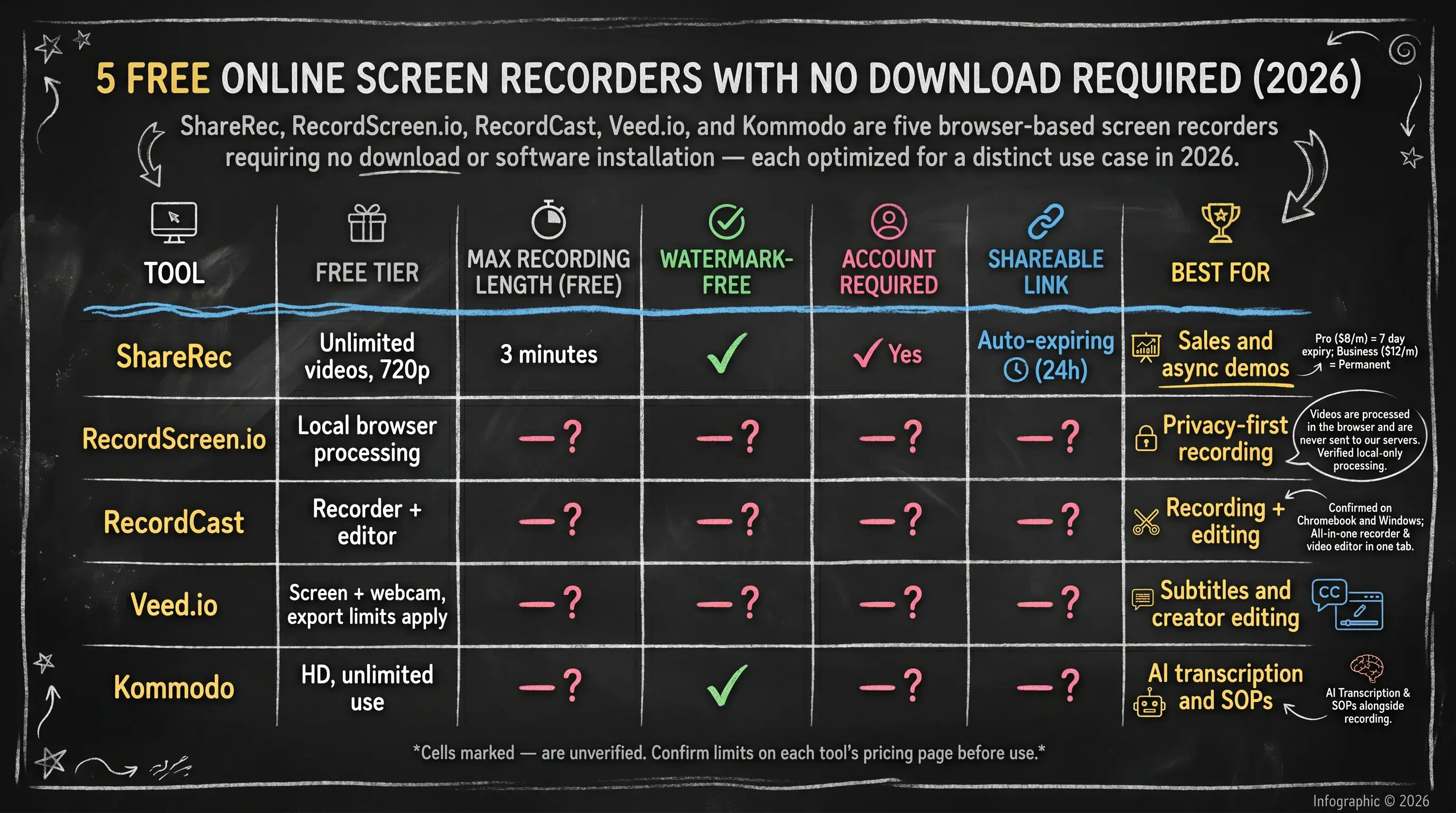
Cells marked — are unverified. Confirm limits on each tool's pricing page before use.
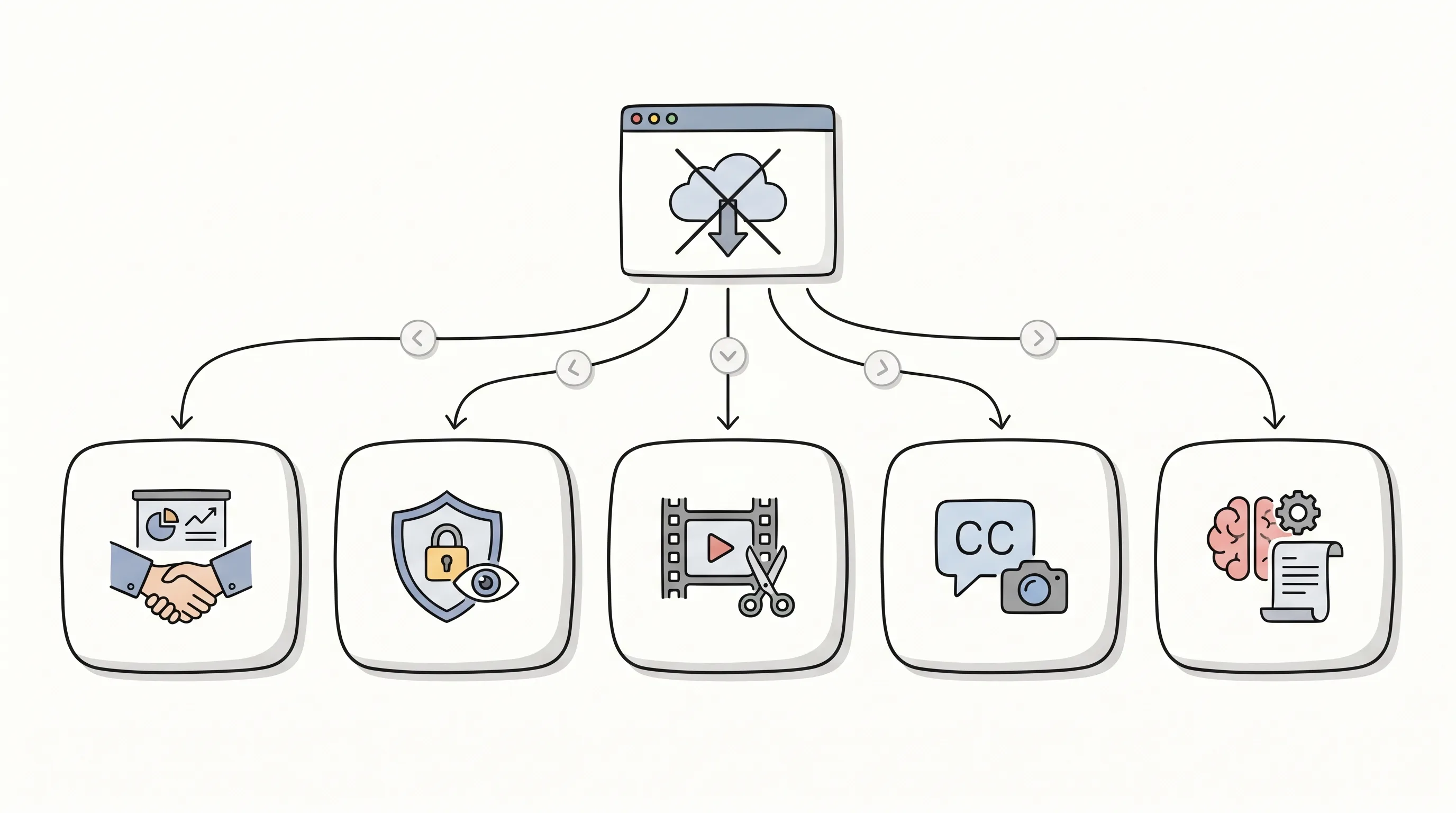
ShareRec — Best for Sales Teams and Async Demos
ShareRec generates a shareable link in under 30 seconds with no upload step, and videos auto-expire in 30 days by default on every tier — Free, Pro ($8/month), and Business ($12/month) — with keep-forever one click away. Best for: sales teams sending instant screen demos and async prospect follow-ups.
The workflow is Record → Explain → Send. The free tier records at 720p with a 5-minute recording cap and a 30-day default expiry — keep any video forever in one click — while keeping your 25 most recent videos. Pro ($8/month) adds unlimited videos and a 30-minute cap; Business ($12/month) adds a 2-hour cap — every tier defaults to a clean 30-day window with one-click keep-forever and a 3-day warning before deletion. Account creation is required on all tiers, including Free.
Editing is limited to trim and clip on all plans — no annotation overlays, drawing tools, or effects. There is no webcam bubble overlay, no reactions, no AI transcription, and no auto-summaries. The free tier's 5-minute cap is insufficient for full sales calls or extended product walkthroughs. No team workspace or shared library is available on any tier.
Teams comparing ShareRec Pro ($8/month) against Loom Starter ($15+/month) gain a lower price point. Loom's AI summaries, transcription, and team collaboration features are genuine advantages for organizations that need them.
RecordScreen.io — Best for Privacy-First Recording
RecordScreen.io is the only tool in this list with verified local-only processing: "Videos are processed in the browser and are never sent to our servers." Best for: privacy-conscious users whose screen content cannot reach third-party servers.
The recorder uses the browser's built-in MediaRecorder API. No file leaves the user's machine during capture or at export — a meaningful distinction for legal, healthcare, finance, and government users handling sensitive content where third-party server storage is prohibited or regulated. On recording stop, the browser delivers a downloaded file in WebM format, which is standard for MediaRecorder output; whether MP4 is also available as a direct download option is unconfirmed — verify at RecordScreen.io before use.
Browser compatibility: Chrome and Chromium-based browsers are the reliable choice for screen capture via the getDisplayMedia API. Safari's screen-sharing permissions are restricted, making Safari support limited in practice. Firefox compatibility is unconfirmed — verify at RecordScreen.io before use.
Webcam support: Whether simultaneous webcam overlay alongside screen capture is supported is unconfirmed — verify at RecordScreen.io before use.
Recording length: The local-only architecture means no server-side session timeout exists. Recording length is theoretically bounded only by available browser memory — no fixed cap has been confirmed, but extended sessions on lower-RAM systems may encounter instability before any hard limit is reached.
Setup is frictionless: open the site, grant screen-capture permission, and record. Features requiring server infrastructure — shareable links, cloud storage, AI transcription, and team workspaces — are absent by design.
RecordCast — Best for Recording Plus Built-In Editing
RecordCast combines screen recording and video editing in a single browser tab with no software to install, confirmed on Chromebook and Windows. Best for: users who want to record and trim or edit in the same browser session without switching to a separate tool.
RecordCast supports screen-only, webcam-only, and combined screen-and-webcam modes alongside microphone and system audio capture. After stopping a recording, an editing interface opens in the same tab — users cut, trim, and adjust clips without downloading raw footage first. Chromebook users gain a direct benefit: ChromeOS has no native screen recording software, and RecordCast handles the full workflow browser-side.
The combined recorder-and-editor interface adds complexity for users who need only a raw capture and an immediate download — a simpler standalone recorder is faster for that task. Free-tier watermark status and maximum recording length are unconfirmed; check RecordCast's pricing page before sessions with strict length requirements.
Veed.io — Best for Creators Needing Subtitles and Editing
Veed.io pairs screen and webcam recording with auto-generated subtitles, caption styling, and a full browser-based editing suite — all without a software download. Best for: creators who need subtitles, captions, and post-recording editing after capturing.
Veed.io's recorder sits within a broader video editing platform. After recording, users access auto-subtitle generation with customizable caption styles, timeline-based clip trimming, text overlays, and audio level adjustments in the same interface — concrete editing tools that justify the "full browser-based editing suite" description. Simultaneous screen and webcam capture is supported, making it practical for tutorial and educational content where face-cam is central to the format.
The free tier applies export constraints. The most commonly reported restriction category is a watermark on exported videos, though the exact constraint type — watermark, resolution ceiling, monthly export count, or file-size cap — is unconfirmed; check Veed.io's pricing page before recording content intended for publication. Recording length on the free tier is also unconfirmed, a notable omission for a tool aimed at creators who may record long tutorials: a hidden session cap could interrupt a recording mid-workflow. Confirm the free-tier length limit on Veed.io's site before committing to an extended session.
For quick capture with an immediate shareable link, a lighter recorder is faster. Veed.io's value is in the editing and subtitle layer that follows recording — the caption styling and timeline tools alone justify the extra setup time for creators publishing polished video content.
Kommodo — Best for AI Transcription and SOP Documentation
Kommodo records in HD with no watermarks, unlimited free use, and generates AI transcription and SOP documentation alongside the recording — output no other browser-based recorder in this list provides. Best for: operations, L&D, and CS training teams who need AI transcription and structured SOP documentation generated alongside recordings.
Kommodo's AI layer runs within the recording workflow. As you capture a process walkthrough, Kommodo generates a transcript and a numbered-step SOP document — each action in the recording maps to a documented step, producing a structured process document that ops, product onboarding, and training teams can use directly without a separate write-up pass. This eliminates the manual documentation step that typically follows screen recording in SOP-heavy workflows.
Privacy note: AI transcription and SOP generation are server-side processes — recorded content is sent to Kommodo's servers for processing. This is a meaningful trade-off compared to RecordScreen.io's local-only approach, and relevant for users whose screen content is sensitive or regulated.
"Unlimited use" scope: Whether the free tier's unlimited use applies to the number of recordings, to recording length per session, or to both is unconfirmed — verify at Kommodo before planning extended captures.
Users who only need a raw video file can skip Kommodo — the AI documentation layer is non-optional and adds steps to a simple capture-and-download workflow.
When Browser-Based Recording Is Not Enough
Browser-based screen recorders have hard architectural limits built into the browser's MediaRecorder API: no multi-monitor capture, no 4K output, and no system-audio-only recording. Extended sessions can encounter browser memory limits, with stability issues commonly reported beyond 20–30 minutes depending on system RAM and resolution — these constraints cannot be resolved with settings or plan upgrades.
Desktop tools handle what browsers cannot. OBS Studio (free, open-source) supports multi-monitor capture, 4K at 60fps, and audio routing from any system source. Loom's desktop app enables longer recording sessions alongside AI features. Camtasia and ScreenFlow cover professional editing depth that no current browser-based editor matches.
If your workflow involves 90-minute product demos, dual-monitor captures, or 4K tutorial content, a desktop recorder is the correct tool. For async sales messages, quick walkthroughs, and privacy-sensitive captures, these five no-download screen recorders cover the majority of use cases without requiring a software install.
Key Takeaways
Five browser-based screen recorders cover five distinct use cases — pick by workflow, not by feature count.
- ShareRec — Best for sales and async demos | instant shareable link, no upload step; 30-day default expiry on every tier — Free, Pro ($8/mo), Business ($12/mo) — keep any video forever in one click.
- RecordScreen.io — Best for privacy-first recording | recordings processed locally in the browser, never sent to any server.
- RecordCast — Best for recording plus editing | all-in-one recorder and editor in one browser tab, Chromebook confirmed.
- Veed.io — Best for creators | screen and webcam capture with auto-generated subtitles, caption styling, and timeline-based post-recording editing.
- Kommodo — Best for AI transcription | HD recording, no watermarks, unlimited free use, AI-generated numbered-step SOPs alongside every recording.
Frequently Asked Questions
These answers are pulled directly from verified tool descriptions and testing — unconfirmed limits are flagged explicitly.
Do online screen recorders require any software installation?
None of the five tools in this list require software installation. All run in a browser tab using the browser's built-in MediaRecorder API — open the site, grant screen-capture permission, and record. The trade-off: browser-based recorders typically cap at 30fps and limit capture to a single monitor, unlike desktop software.
Which free online screen recorders work on Windows 10 and 11?
RecordCast is confirmed on Windows and Chromebook. ShareRec, Veed.io, and Kommodo are browser-based and run on any operating system with a modern browser, including Windows 10 and 11. ShareRec requires account creation on the free tier before recording begins. RecordScreen.io is also browser-only with no OS-specific requirements, though Chrome or a Chromium-based browser is recommended for reliable screen capture.
Do free online screen recorders add watermarks?
ShareRec and Kommodo are confirmed watermark-free on their free tiers. ShareRec's no-watermark status comes from the product profile; Kommodo's is confirmed from the tool's feature description. Watermark status for RecordCast and Veed.io is unconfirmed — verify on each tool's pricing page before recording content intended for publication.
Do online screen recorders save recordings to the cloud?
RecordScreen.io is the only tool in this list with confirmed local-only processing — recordings are processed in the browser and never sent to servers. ShareRec stores recordings server-side to generate and serve shareable links. Kommodo sends recordings to its servers for AI transcription and SOP generation. Cloud storage behavior for RecordCast and Veed.io is unconfirmed — review each tool's privacy policy for specifics.
Can I record my screen and webcam at the same time without downloading software?
Veed.io supports simultaneous screen and webcam capture. RecordCast supports combined screen-and-webcam recording modes. ShareRec records screen only — no webcam bubble or overlay is available on any tier. Webcam support for RecordScreen.io and Kommodo is unconfirmed — verify on each tool's site before recording.
Try it free
Record your first walkthrough free in 30 seconds
No install, no watermark — share a link instantly.
Start Recording Free