5 Best Loom Alternatives for Small Business in 2026

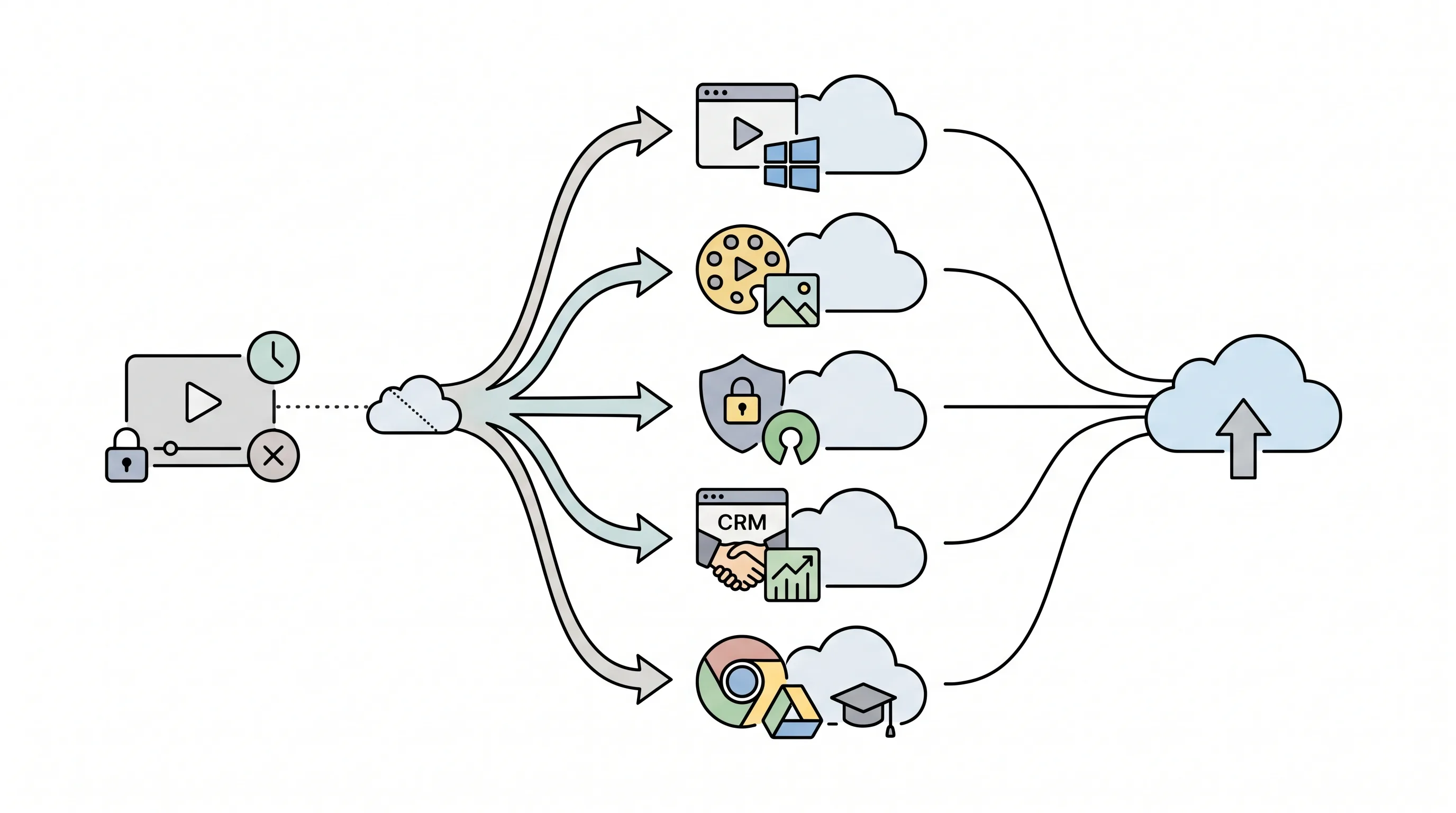
ShareRec, Tella, Cap, Vidyard, and Screencastify are the five strongest Loom alternatives for small business teams in 2026. ShareRec is the lead pick for free no-install recording — browser-based on Windows with an instant shareable link, no watermark, and a 5-minute cap per recording on the free tier, which keeps your 25 most recent videos (account required on all tiers); videos auto-expire in 30 days by default but you keep any one forever in one click. Cap is open-source and self-hostable for teams with data-privacy requirements, with a free tier (5-minute cap) and Cap Pro at $12/mo for unlimited cloud recording. Vidyard integrates natively with HubSpot and Salesforce for B2B sales prospecting, though CRM integration sits on its Teams tier (custom pricing). Tella produces polished branded async video with custom backgrounds and chapter markers, with paid plans from $13/mo. Screencastify runs as a Chrome and Edge extension with Google Drive and Classroom integration, starting at $7/user/mo annually.
Loom's free plan caps at 25 total videos and 5 minutes per recording; Business runs ~$15/user/mo annually ($18/mo monthly) — there is no Loom Pro tier. All five alternatives either remove those free-tier caps or price paid plans at or below Loom Business. Choose by workflow: free no-install recording on Windows (ShareRec), branded client walkthroughs (Tella), privacy-first self-hosting (Cap), CRM-connected sales prospecting (Vidyard), or Google Workspace training (Screencastify).
Quick Comparison: Loom Alternatives for Small Business 2026
Here's how these five tools compare on free tier limits, pricing, recording caps, and link sharing.
| Tool | Free Tier | Paid From | Free Recording Cap | Shareable Link | Best For |
|---|---|---|---|---|---|
| ShareRec | $0 — keeps your 25 most recent videos, no watermark (account required) | $8/mo | 5 min | Yes — instant (30-day default, keep forever 1 click) | No-install browser recording, Windows |
| Tella | No free tier on current pricing page | $13/mo | — | Permanent link | Polished branded async video |
| Cap | Free (open source, 5-min cap) | $12/mo (Pro) | 5 min | Via cloud upload | Open-source, privacy-first |
| Vidyard | Free (5 videos/mo — no CRM) | Custom (CRM on Teams) | Varies | Permanent link | Sales teams, CRM integration |
| Screencastify | $0 — 10 videos max (lifetime) | $7/user/mo (annually) | 30 min | Google Drive / shareable URL | Educators, Google Workspace |
Loom (for reference, not reviewed): Free = 25 videos max, 5-min recording cap. Business from ~$15/user/mo annually ($18/mo monthly). No Loom Pro tier.
ShareRec — Best for Free No-Install Browser Recording on Windows
ShareRec's free tier includes browser-based recordings on Windows — no installer, no admin rights required, 5-minute cap per recording, no watermark, and an instant shareable link. Best for: small business teams needing free recording on locked-down corporate Windows laptops where desktop installs are blocked by IT.
Account required on all tiers including Free. The Free tier includes 720p resolution and trim-and-clip editing, and keeps your 25 most recent videos (older ones retire as new ones are added). Videos auto-expire 30 days after recording by default, but you keep any video forever in one click (or set a custom window — Never / 24 hours / 7 days / 30 days), with a countdown and a 3-day warning email before anything is deleted — so walkthroughs, bug reports, and team updates you want to keep stay live for good, while the rest tidy themselves away. Three-step workflow: Record, Explain, Send — shareable link ready in under 30 seconds.
Pro ($8/mo) extends each recording to 30 minutes, upgrades to 1080p, and adds unlimited videos. Business ($12/mo) allows up to 2 hours per recording and keeps 1080p. The 30-day default expiry with one-click keep-forever applies on every tier, and the no-install browser workflow is unique among these tools for locked-down Windows machines.
Limitations: 5-minute cap on Free, no AI transcripts or summaries, no webcam bubble overlay, no team workspace or shared library, editing limited to trim and clip only. At $8/mo, Pro is roughly half the price of Loom's cheapest paid tier (~$15/user/mo).
Tella — Best for Polished Branded Async Video
Tella's paid plans start at $13/mo (Pro) and provide custom virtual backgrounds, branded presenter overlays, and chapter markers purpose-built for customer-facing screen recordings. Best for: agencies, consultants, and SaaS teams sending regular polished video updates to clients or prospects.
Tella's template system lets you configure branded backgrounds, logo placement, and camera framing once, then apply them to every recording. Chapter markers let recipients navigate long walkthroughs without scrubbing — valuable for client onboarding sessions covering multiple product areas. Pro runs $13/mo and Premium $19/mo (which adds 60 FPS exports, custom domain, and removes Tella branding); Tella's current pricing page lists no free tier, so plan on a paid plan for ongoing external use.
Setup takes longer than ShareRec's or Screencastify's instant-start approach — branding templates require initial configuration. For teams recording occasional internal updates, that setup cost delivers limited return. For client-facing communications where visual consistency directly affects perception, it pays off.
Limitations: paid-only for sustained use (no free tier on the current pricing page), more upfront setup time than simpler tools, and no self-hosting option.
Cap — Best for Open-Source Privacy-First Recording
Cap is open-source and self-hostable — the only tool in this comparison that lets teams keep recordings entirely on their own infrastructure without sending data to a third-party cloud service. Best for: developers, technical teams, and businesses under data-privacy policies that prohibit external cloud storage for recorded content.
Cap requires a desktop install — it is not browser-based like ShareRec. The free tier covers personal use with a 5-minute recording cap; unlimited recording and cloud sharing come with Cap Pro at $12/mo ($8.16/mo billed annually), which also adds AI titles, summaries, and transcriptions. Teams that don't self-host can use Cap's cloud service to generate shareable links, keeping the workflow comparable to a commercial tool. The auditable open-source codebase allows compliance review of exactly how recordings are processed and stored — a genuine differentiator for teams in regulated industries.
Cap is frequently cited as the leading open-source Loom alternative in SMB developer communities, where the self-hosting capability fills a gap no commercial tool in this list addresses.
Limitations: desktop install required, the free tier caps recordings at 5 minutes (unlimited needs Cap Pro or self-hosting), self-hosting demands technical setup and ongoing maintenance, fewer branding and polish features than Tella or Loom, and a smaller support community than commercial alternatives. Teams without a developer on staff should factor in maintenance overhead before committing to the self-hosted path.
Vidyard — Best for Sales Teams with CRM Integration
Vidyard provides native HubSpot and Salesforce integration, per-viewer watch-time heatmaps, and in-video lead capture forms built for outbound B2B sales prospecting. Best for: small B2B sales teams running structured email prospecting sequences through a CRM.
The standout feature is recipient-level analytics: Vidyard tracks exactly how far each prospect watched and where they dropped off. In-video CTAs and embedded lead capture forms add conversion actions directly to the video. Video email prospecting with link-open tracking is the primary workflow the tool is built around.
Pricing note: Vidyard's free plan (5 videos/mo) and its paid Starter plan both exclude CRM integration — the feature that most justifies Vidyard for sales teams. Native HubSpot/Salesforce integration sits on the Teams tier, which is custom-priced (contact sales), so budget accordingly if CRM is the reason you're evaluating Vidyard.
Limitations: CRM integration is gated to the custom-priced Teams tier rather than a published entry plan, analytics depth is overkill for solo operators not running a structured sales process, steeper learning curve than ShareRec or Screencastify, and teams not actively using HubSpot or Salesforce will find it difficult to justify against simpler alternatives.
Screencastify — Best for Educators and Google Workspace Teams
Screencastify's Chrome extension starts at $7/user/mo annually and records screen, webcam, and audio with direct Google Drive save, Google Classroom share, and quiz embedding — no app install beyond Chrome itself. Best for: teachers, trainers, and small businesses running entirely on Google Workspace.
The free tier allows up to 10 videos lifetime (not a monthly reset) with a 30-minute cap per recording. The 30-minute cap suits full classroom sessions and long training walkthroughs; the 10-video lifetime ceiling makes the free plan impractical for ongoing team use. Paid: Starter at $7/user/mo billed annually ($19/mo billed monthly); Pro at $10/mo annually ($25/mo monthly).
Interactive quiz embedding — engagement prompts built directly into video playback — differentiates Screencastify from Loom and most alternatives for structured training content.
Limitations: browser-extension only (Chrome and Edge; no Firefox, Safari, or standalone desktop app); sharing is less immediate than ShareRec's instant auto-generated link; the Google Workspace integrations are the primary reason to choose Screencastify, and teams not on Google Workspace pay the same price with fewer workflow advantages.
Key Takeaways
- ShareRec — Best for free no-install browser recording on Windows; instant shareable links and no watermark on the free tier, which keeps your 25 most recent videos (account required); videos auto-expire in 30 days by default with one-click keep-forever, $8/mo Pro at roughly half of Loom's cheapest paid tier.
- Tella — Best for polished branded async video with custom virtual backgrounds and chapter markers; paid plans from $13/mo (Pro), $19/mo (Premium), no free tier on the current pricing page.
- Cap — Best for open-source privacy-first recording; free tier with a 5-minute cap, Cap Pro $12/mo for unlimited cloud recording, self-hostable, desktop install required.
- Vidyard — Best for sales teams; native HubSpot and Salesforce integration (gated to the custom-priced Teams tier) with per-viewer engagement analytics.
- Screencastify — Best for educators and Google Workspace teams; free tier capped at 10 videos lifetime, Starter from $7/user/mo billed annually.
- Loom's free plan caps at 25 videos and 5-minute recordings — all five alternatives have either no video cap on free tiers or substantially higher limits.
- None of these five tools include AI-generated transcripts or summaries — that capability remains part of Loom's Business tier.
Frequently Asked Questions
What is the best free Loom alternative for small business teams?
ShareRec and Cap both offer genuinely free tiers with generous recording. ShareRec is browser-based on Windows — instant shareable links, no watermark, 5-minute cap per recording, and it keeps your 25 most recent videos; videos auto-expire in 30 days by default but you keep any one forever in one click; account required on all tiers. Cap is open-source and self-hostable; its free tier caps recordings at 5 minutes (unlimited recording needs Cap Pro at $12/mo or self-hosting), and it requires a desktop install. Screencastify's free tier caps at 10 videos lifetime, making it impractical for active team workflows.
Which Loom alternative is easiest to set up for non-technical teams?
ShareRec and Screencastify both require no desktop app install — ShareRec runs in any modern Windows browser, Screencastify runs as a Chrome extension. ShareRec works on locked-down corporate Windows laptops where IT policy blocks desktop installs like OBS. Cap requires a desktop install and configuration. Tella is browser-based but requires branding template setup before productive first use.
How does Loom's pricing compare to these alternatives for small business?
Loom's free plan caps at 25 videos and 5-minute recordings; Business runs ~$15/user/mo annually ($18/mo monthly) — no Loom Pro tier exists. ShareRec Pro is $8/mo, roughly half of Loom Business. Screencastify Starter is $7/user/mo annually. Cap is open-source with a free 5-minute tier and Cap Pro at $12/mo. Tella's paid plans start at $13/mo; Vidyard's CRM-integrated Teams tier is custom-priced.
What Loom alternative works best for async team walkthroughs and remote onboarding?
Tella is built for structured async walkthroughs with chapter markers and branded backgrounds — suited for external client onboarding. ShareRec handles quick internal walkthroughs under 5 minutes on Free (30 minutes on Pro) with an instant shareable link (videos auto-expire in 30 days by default, or keep any forever in one click). Vidyard adds per-viewer watch-time analytics. None of these five tools include AI transcripts or summaries — that remains a Loom Business feature.
Try it free
Record your first walkthrough free in 30 seconds
No install, no watermark — share a link instantly.
Start Recording Free