How to Record an Async Standup in 2026: 5 Tools, a 3-Part Format, and Privacy Best Practices
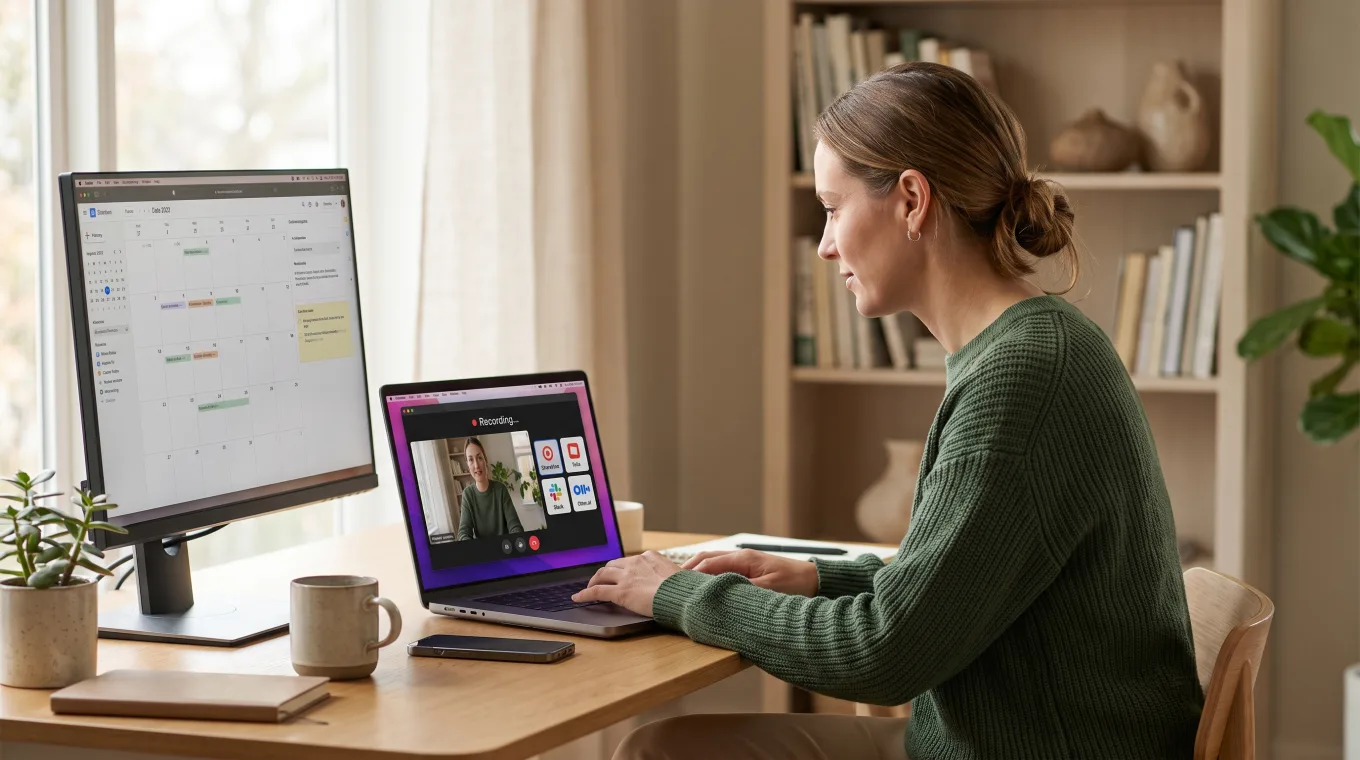
An async standup recording is a short video update — typically 2 to 5 minutes — where a team member shares what they shipped, what's next, and any blockers. Distributed teammates watch it on their own schedule instead of joining a live call.
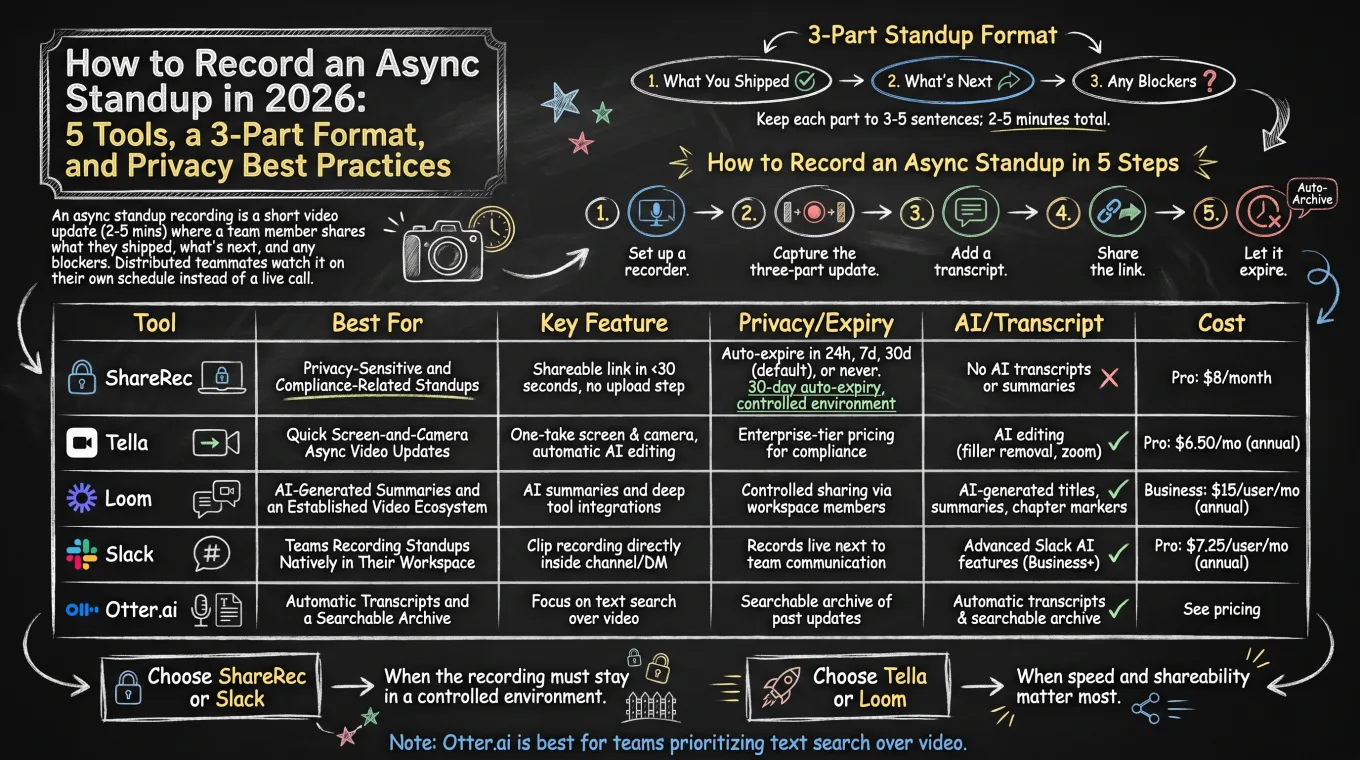
ShareRec is the best tool for recording an async standup when you don't want the video living online indefinitely — a quick walkthrough of a customer account or an admin panel included. It generates a shareable link the moment recording stops, with no upload step. The owner can set each video to auto-expire in 24 hours, 7 days, 30 days, or never. Tella is best for quick, single-take screen-and-camera recordings, though it has no free tier beyond a 7-day trial. Loom is best for teams that want AI-generated summaries and an established video-messaging ecosystem. Slack is best for teams recording and sharing standups directly inside their existing workspace. Otter.ai is best for teams that need automatic transcripts and a searchable archive of past updates. All five work with the same three-part standup format: what you shipped, what's next, and any blockers. Choose ShareRec or Slack when you want the recording to expire on a schedule instead of accumulating. Choose Tella or Loom when speed and shareability matter most. Choose Otter.ai when the priority is text search over video.
How to Record an Async Standup in 5 Steps
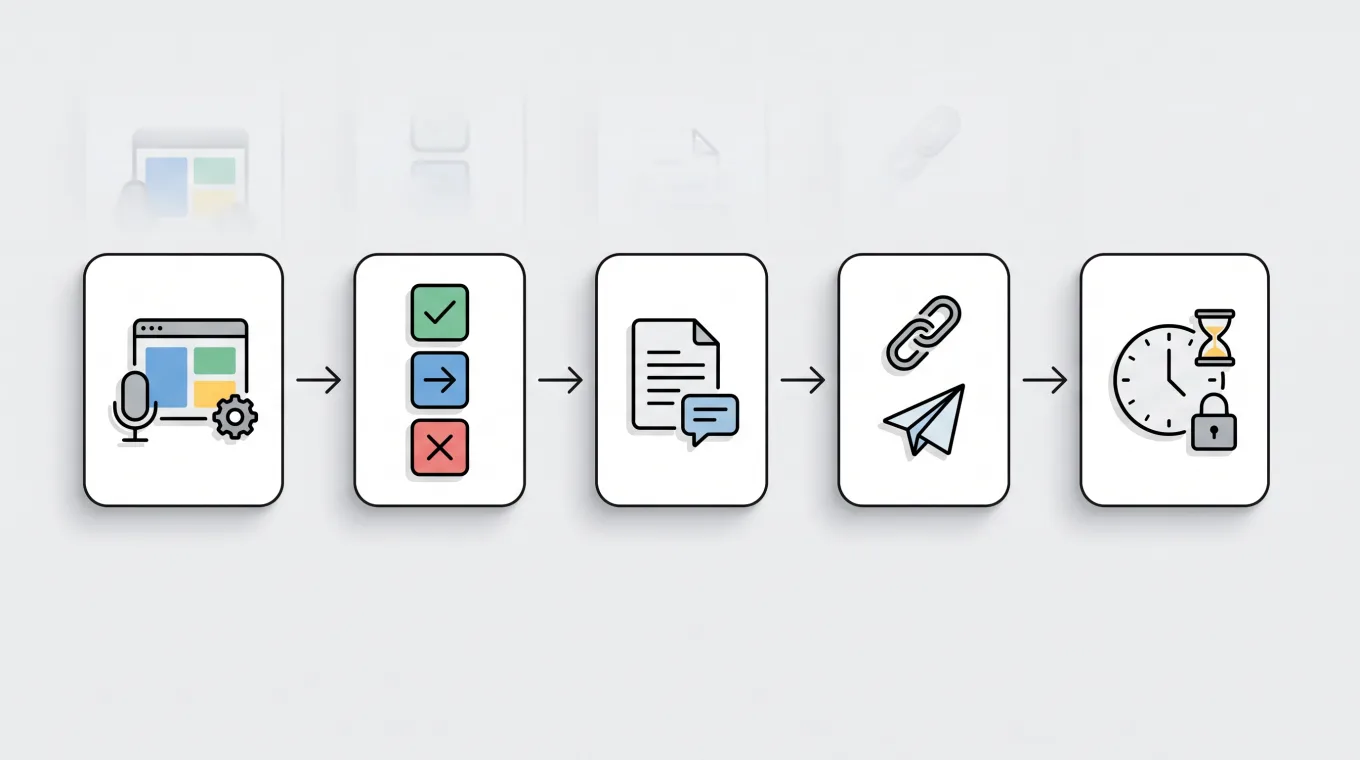
Recording an async standup takes five steps: set up a recorder, capture the three-part update, add a transcript, share the link, then let it expire.
- Set up a recorder. Start with whichever tool your team has standardized on — ShareRec, Tella, Loom, Slack, or Otter.ai all work.
- Capture the three-part update. Cover what you shipped since the last standup, what you're working on next, and any blockers you need help with — three to five sentences per part keeps most recordings under three minutes.
- Add a transcript. If the tool generates one automatically — Otter.ai and Loom both do — leave it attached so teammates can skim instead of watching.
- Share the link. Post it in the team's standup channel or thread.
- Let it expire. Set the recording to auto-archive or expire on a schedule rather than accumulating indefinitely.
ShareRec: Best for Standups That Shouldn't Stick Around
ShareRec turns a screen recording into a shareable link the moment recording stops, with no upload step, starting at $8/month on its Pro plan. Best for: standups that show a live customer account or an internal admin panel — anything you'd rather not leave sitting in a general-purpose video tool indefinitely.
Every ShareRec video defaults to a 30-day auto-expiry. The owner can change that window to 24 hours, 7 days, or never with one click. That flexibility matters when a recording holds information that shouldn't stay accessible long-term — though the link itself is unlisted, not password-protected: anyone who has it can watch until it expires or the owner deletes it. The Free tier costs $0, records at 720p, caps recordings at 5 minutes, and keeps the 25 most recent videos with no watermark. Pro raises the cap to 30 minutes; Business, at $12/month, extends it to 2 hours.
An account is required on every tier, including Free. ShareRec doesn't generate AI transcripts or summaries, so teams that want automatic recaps pair it with a separate transcription step.
Tella: Best for Quick Screen-and-Camera Async Video Updates
Tella records screen and camera in a single take, up to 4K and 6 hours per clip on every tier, with its Pro plan at $26/month, or $13/month billed annually. Best for: teams that want a quick, single-take standup clip from a native Mac or Windows recorder.
Pro adds AI-generated titles, descriptions, and video chapters, plus transcription in 106 languages. Premium, at $39/month ($19/month billed annually), removes Tella branding, adds a custom domain, shares in 4K, exports at 60fps, and includes advanced analytics.
Tella has no ongoing free plan — only a 7-day free trial of the full Pro plan, with no credit card required.
Loom: Best for AI-Generated Summaries and an Established Video Ecosystem
Loom pairs screen-and-camera recording with AI-generated summaries and a shareable link, with its Business plan starting at $18/user/month. Best for: teams that want an automatic recap of each standup.
Auto-generated titles and transcripts are included on every Loom plan, including Free. Summaries and chapter markers are reserved for the Business+AI plan at $24/month. The Free plan allows 25 videos per person, caps each recording at 5 minutes, and supports up to 50 workspace members. That's enough for a small team to trial async standups before upgrading.
There's no longer a standalone "Loom Pro" tier — the cheapest paid plan is the per-seat Business tier.
Slack: Best for Teams Recording Standups Natively in Their Workspace
Slack records short video clips and huddle sessions directly inside a channel, with its Pro plan starting at $7.25/user/month billed annually ($8.75/month billed monthly). Best for: teams that want standup recordings living next to the rest of their team communication instead of in a separate tool.
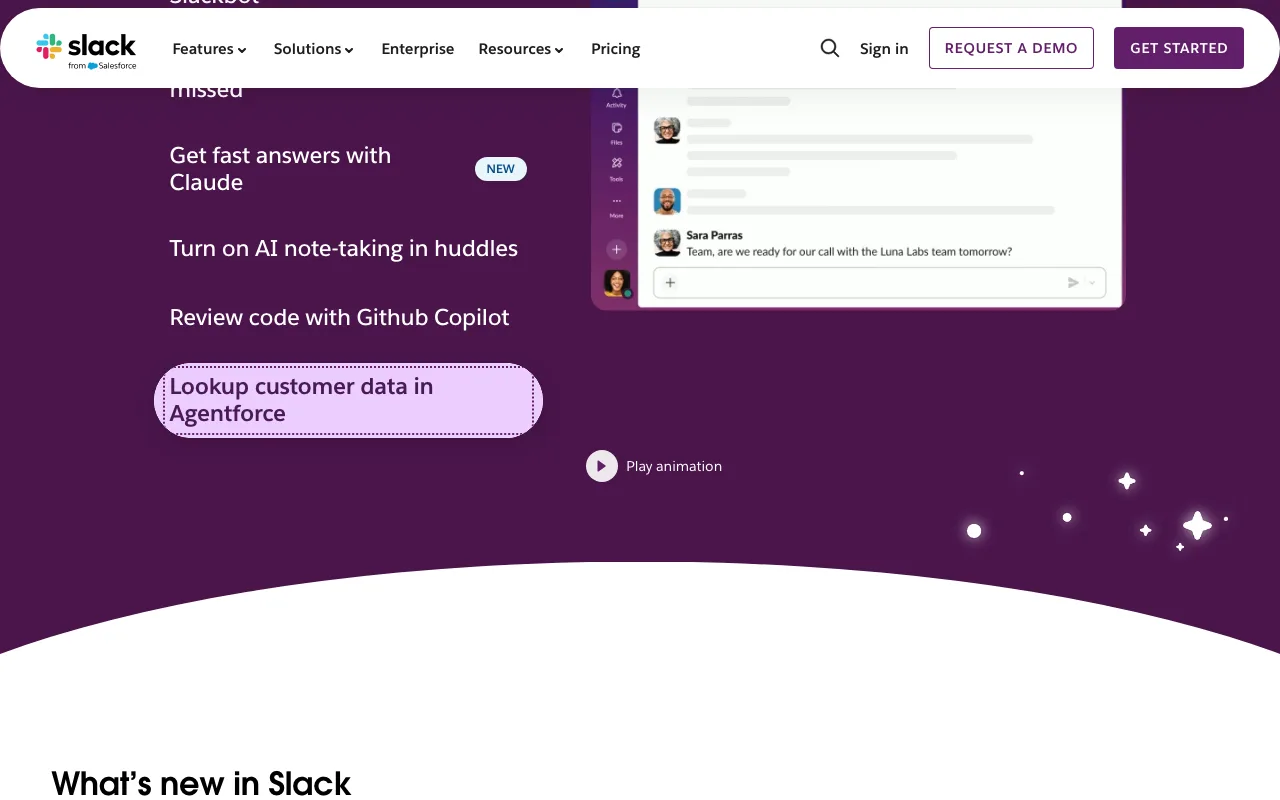
Clip lets anyone record video, audio, or screen inline in a channel or direct message. Huddles support live audio/video sessions with recording. The Free plan costs $0 but shows only the most recent 90 days of message and file history, limits huddles to 1:1, and caps app connections at 10. Business+, at $15/user/month billed annually ($18 monthly), adds SSO, SCIM provisioning, and more advanced Slack AI features for teams with compliance requirements.
Recordings live under Slack's message and file retention rules, aging out on the same schedule as everything else in the workspace rather than a dedicated video tool's.
Otter.ai: Best for Automatic Transcription and a Searchable Standup Archive
Otter.ai transcribes standup recordings automatically and makes every update searchable by keyword, with its Free plan covering 300 transcription minutes a month at $0. Best for: teams that want a text-first, searchable record of standup updates rather than a video-first one.
The Free tier caps each conversation at 30 minutes and allows three lifetime file imports. Pro, at $16.99/month ($8.33/month billed annually), raises the ceiling to 1,200 minutes a month, 90 minutes per conversation, and 10 file imports monthly. Business, at $30/user/month ($19.99/month billed annually), removes the monthly minute cap entirely, capping only at 4 hours per meeting.
Otter.ai is audio-first, not a dedicated screen recorder, so teams pair it with another tool when the standup needs a visual component.
Privacy and Consent: Is Recording Standups Micromanagement?
Recording async standups isn't inherently micromanagement — three specific habits separate a trust-building recording practice from surveillance: advance notice, an opt-out, and a defined retention window. The difference comes down to how a team introduces and manages the practice, not whether recording happens at all.
Notify the team before recording starts, give people a way to opt out on sensitive days, and avoid capturing screens with unrelated sensitive data. Setting a defined retention window — an auto-expiring link rather than a video that lives forever — signals that recordings are a communication tool, not an audit trail.
Compare the 5 Best Async Standup Recording Tools
ShareRec, Tella, Loom, Slack, and Otter.ai compared on price, free tier, and recording caps.
| Tool | Best For | Starting Price | Free Tier | Recording Length Cap | Notable Limitation |
|---|---|---|---|---|---|
| ShareRec | Standups with links that expire on their own | $8/mo (Pro) | $0 — account required, 720p, keeps 25 most recent videos, no watermark | Free: 5 min / Pro: 30 min / Business: 2 hr | No AI transcripts or summaries; account required on every tier |
| Tella | Quick screen-and-camera async video updates | $26/mo Pro ($13/mo annual) | None — 7-day free trial only | 6 hr per clip on every tier, including the trial | No ongoing free plan; enterprise pricing requires contacting sales |
| Loom | AI-generated summaries and an established video ecosystem | $18/user/mo (Business) | 25 videos per person, 5-min cap, up to 50 workspace members | Free: 5 min | No standalone Loom Pro tier — cheapest paid plan is per-seat Business |
| Slack | Native in-workspace standup recording | $7.25/user/mo (Pro, annually; $8.75 monthly) | $0 — 90-day history, 1:1 huddles only, 10 app connections | Huddle/Clip limits apply | Recordings follow Slack's message/file retention rules, not a dedicated video tool |
| Otter.ai | Automatic transcription and a searchable archive | $16.99/mo (Pro, monthly; $8.33/mo annually) | $0 — 300 transcription minutes/month, 3 lifetime imports | Free: 30 min/conversation; Pro: 90 min/conversation | Audio-first; pairs with a separate tool for video capture |
Key Takeaways
- ShareRec creates a shareable link the moment recording stops, with no upload step, and defaults to a 30-day auto-expiry.
- Tella has no free tier beyond a 7-day trial; Pro starts at $26/month, or $13/month billed annually.
- Loom generates AI summaries and chapter markers on its Business+AI plan at $24/month.
- Slack records Clips and huddles natively inside a channel; Pro starts at $7.25/user/month billed annually.
- Otter.ai covers 1,200 transcription minutes a month on its Pro plan at $16.99/month.
- The 3-part standup format — shipped, next, blockers — works identically across all five tools.
Frequently Asked Questions
What is the best tool for recording async standups in 2026?
It depends on the update: ShareRec for no-upload recordings with auto-expiry so nothing lingers online; Tella for quick single-take clips (no free tier, just a 7-day trial); Loom for AI summaries; Slack for native in-workspace sharing; Otter.ai for transcription and search.
How long should an async standup recording be?
Two to five minutes — enough for the three-part format (shipped, next, blockers) without a long video. ShareRec's and Loom's Free plans both cap recordings at 5 minutes.
Should I record standups — isn't it micromanagement?
Only when it's imposed without explanation. Frame it as a timezone tool, allow opt-outs on sensitive days, and auto-expire recordings — ShareRec defaults to 30 days — instead of storing them indefinitely.
How do I get team consent to record standups?
Add one line to the calendar invite or channel description: "This standup may be recorded for async teammates — reply if you'd prefer it off." Naming the default expiry window, such as 30 days, builds trust.
What should I say in a standup recording?
Use the three-part format: what you shipped, what's next, and any blockers. Three to five sentences per part keeps the recording under three minutes and easy to skim across time zones.
Can I use Slack or Loom to record standups?
Yes. Slack's Clip records video, audio, or screen inside a channel or DM, and huddles support live recording. Loom records screen and camera with a shareable link and an optional AI summary — both work for async standups.
How do I transcribe standup recordings automatically?
Otter.ai and Loom both transcribe automatically. Otter.ai leads with transcription and search, with a Free tier covering 300 minutes a month; Loom includes automatic transcription on every plan, including Free, and adds AI summaries on Business+AI.
What are privacy best practices for standup recordings?
Notify the team before recording, avoid capturing unrelated sensitive data on screen, and set a defined retention window — an auto-expiring link, for example — instead of keeping every recording indefinitely. These habits keep the practice collaborative, not surveilled.
Sources: Tella Pricing, Tella Plans, Otter.ai Pricing, Slack Pricing, Loom Pricing
Try it free
Record your first walkthrough free — no install needed
No install, no watermark — share a link instantly.
Start Recording Free