Demo Video: 5 Best Tools to Record & Send One Fast (2026)

ShareRec is the fastest demo video tool for sending feedback in 2026 — record your screen with voiceover and get a shareable link as soon as you stop recording. No upload step, no install. It's best for freelancers, reviewers, and managers giving feedback on someone else's website, design, or document.
Loom is best for teams that want AI-generated summaries and an established recording ecosystem, with a free plan capped at 25 videos and a 5-minute limit. Screencastify is best for longer walkthroughs, with a free plan that allows 30-minute recordings and 10 saved videos. Supademo is best for AI-generated interactive product demos, used by more than 150,000 businesses to turn recordings into clickable walkthroughs. Clipchamp is best for branded demo videos, with free browser-based screen and webcam recording plus text overlays; its brand-kit colors require a paid Microsoft 365 plan.
ShareRec's Free plan requires an account, keeps your 25 most recent recordings, and caps each video at 5 minutes; Pro removes the video-count limit and raises the cap to 30 minutes for $8/month.
Demo Video Tools Compared for 2026
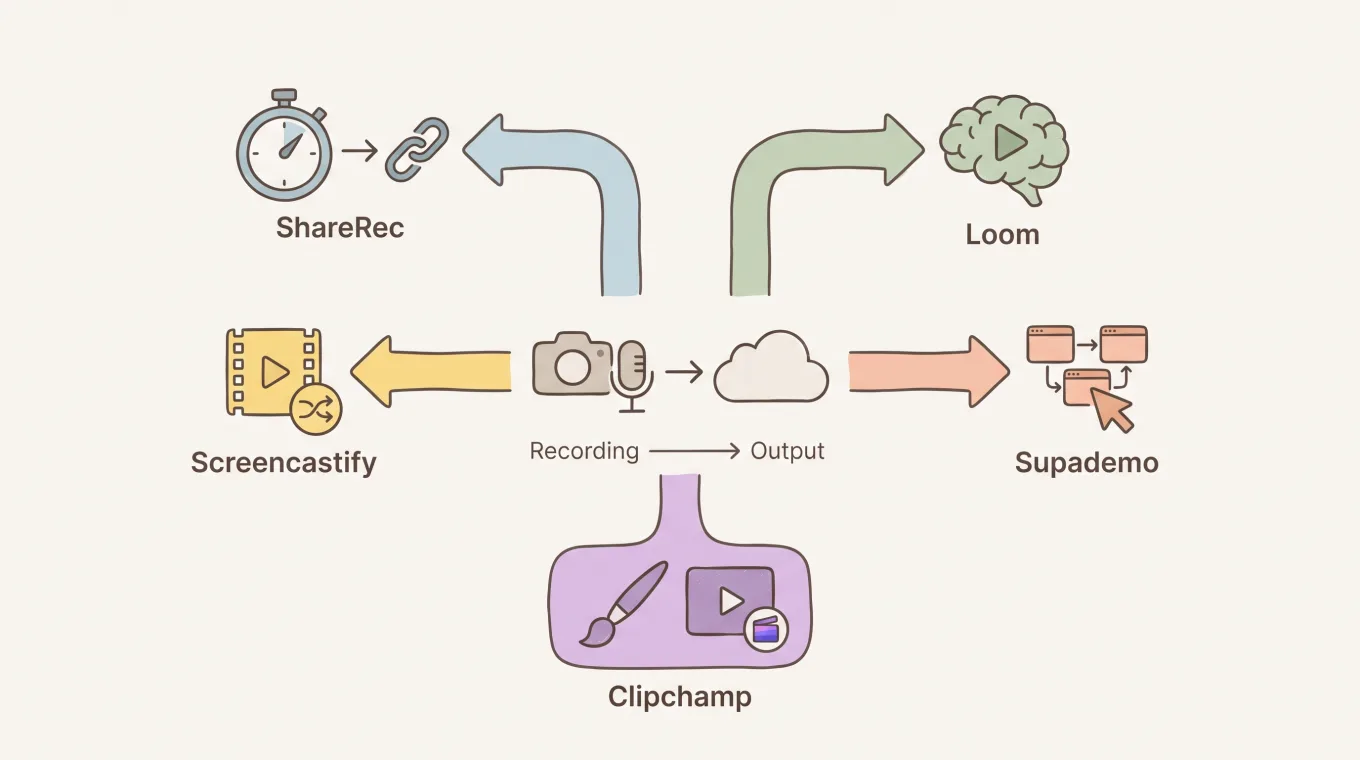
ShareRec, Loom, Screencastify, Supademo, and Clipchamp cover five different demo video workflows, from instant feedback links to AI-generated interactive walkthroughs. The table below lines up pricing, free-tier limits, and the one feature that defines each tool.
| Tool | Best For | Free Tier | Starting Price | Key Feature | Limitation |
|---|---|---|---|---|---|
| ShareRec | Sending video feedback fast | Account required; keeps 25 most recent videos; 5-min cap; 720p; no watermark; trim & clip editing | $8/mo Pro (unlimited videos, 30-min cap, 1080p) | Instant shareable link the moment recording stops — no upload step | Free tier caps each recording at 5 minutes |
| Loom | AI summaries and team ecosystem | 25 videos max, 5-min cap, up to 50 workspace members | Business $18/user/mo monthly; no standalone Pro tier | Free transcripts on every plan; AI add-on generates summaries | Cheapest paid plan is per-user Business pricing |
| Screencastify | Longer walkthroughs on a free plan | 10 videos max, 30-min cap | Starter $7/user/mo annual ($19/mo monthly) | 30-minute recordings included free | Only 10 videos retained before older ones must be deleted |
| Supademo | AI-generated interactive demos | Free plan available; used by 150k+ businesses | Paid plans available; pricing not published | Turns a recording into a clickable, interactive demo | Built for click-through demos, not narrated video feedback |
| Clipchamp | Branded demo videos with webcam overlays | Free, browser-based, no install | Microsoft 365 for premium features; pricing not published | Free webcam & screen recording plus text overlays and transitions (brand kit is a paid feature) | Editing-focused workflow — no confirmed instant-link step |
ShareRec: Best for Sending Video Feedback Fast
ShareRec records your screen and voice, then generates a shareable link the moment you stop recording — no upload step. Best for: freelancers, reviewers, and managers giving feedback on someone else's website, design, or document.
The workflow is record, explain, send. You open the recorder in your browser, walk through the work on screen, and narrate your reaction. Stop recording and the link is live immediately — no separate export or upload wait.
An account is required to record on every tier, including Free. Recipients need no account to watch; they simply open the link.
Every recorded video auto-expires 30 days after recording by default. You can keep any video forever with one click, or set a shorter window instead — 24 hours, 7 days, or 30 days. ShareRec sends a warning email 3 days before deletion.
The Free plan records at 720p, caps each video at 5 minutes, includes trim-and-clip editing, and carries no watermark. It keeps your 25 most recent videos; older ones roll off as new ones are recorded.
Pro costs $8/month, removes the video-count limit, raises the recording cap to 30 minutes, and records at 1080p. That's less than half the price of Loom's Business plan ($18/user/mo) or Screencastify Starter ($19/mo).
The one limitation worth planning around: the 5-minute cap on Free suits quick feedback clips but not long-form walkthroughs.
Loom: Best for AI Summaries and Team Ecosystem
Loom's free plan includes 25 videos, a 5-minute recording cap, and room for up to 50 workspace members. That makes it a fit for teams already standardized on one recorder. Best for: teams that want AI-generated summaries alongside an established sharing and commenting ecosystem.
Loom transcribes recordings automatically on every plan, and its AI add-on generates written summaries on top of that, saving viewers from watching a full video to get the gist. Viewer comments and reactions are built into every shared link, which keeps async feedback threads in one place.
Recording quality is dependable across screen, camera, and combined views, and the desktop and browser apps cover most workflows without extra setup.
There is no standalone Loom Pro tier. The cheapest paid plan is Business, priced at $18/user/month billed monthly, with up to 17% off for annual billing; Business with the AI add-on runs $24/month. Pricing is structured per user for team plans rather than as a flat individual tier.
Teams already using Loom for onboarding, product updates, or internal comms get the most out of its AI summaries and established sharing habits.
Screencastify: Best for Longer Walkthroughs on a Free Plan
Screencastify's free plan allows 30-minute recordings, six times longer than ShareRec's 5-minute free cap, making it the strongest free option for extended walkthroughs. Best for: creators and educators recording longer tutorials or full product walkthroughs without paying upfront.
The free tier includes browser-based recording with basic trim editing and webcam overlay, and recordings can run the full 30 minutes before hitting a wall.
The tradeoff is video count. The free plan keeps only 10 videos before older ones must be deleted to make room for new recordings. That's a real constraint for anyone recording frequently rather than occasionally.
Paid plans add more storage and editing depth. Starter costs $7/user/month billed annually ($19/month billed monthly), and Pro costs $10/user/month billed annually ($25/month billed monthly), adding advanced editing and additional sharing controls.
Screencastify suits recording sessions where length matters more than speed. A 25-minute product walkthrough fits inside the free plan's cap — a length that wouldn't fit on tools capped at 5 minutes.
Supademo: Best for AI-Generated Interactive Demos
Supademo turns a single recording into a clickable, interactive product demo rather than a passive video, and is used by more than 150,000 businesses. Best for: product and sales teams that want prospects to click through a demo themselves instead of watching a recording start to finish.
Instead of a linear video file, Supademo captures your screen actions and rebuilds them as an interactive walkthrough. Viewers click buttons and navigate steps the way they would in the live product, with guided tooltips marking each step.
This format suits onboarding flows, sales demos, and help-center walkthroughs where letting someone explore at their own pace beats fixed narration.
A free plan is available; paid tiers exist but current pricing wasn't confirmed for this comparison — check Supademo's site directly before budgeting.
The tradeoff: Supademo is built for structured, click-through product demos, not narrated video feedback on someone else's document or design.
Clipchamp: Best for Branded Demo Videos With Webcam Overlays
Clipchamp is a free, browser-based editor with built-in webcam recording, screen recording, and text overlays — no install required. Best for: marketing teams polishing a demo video into a branded, publish-ready asset.
Recording options include screen capture, webcam, or both at once. The built-in editor layers in captions and transitions; brand colors pulled from a saved brand kit come with a paid Microsoft 365 plan.
That editing depth comes with a different starting point than a link-first recorder. Clipchamp's workflow centers on exporting a finished, edited video rather than generating an instant share link the moment recording stops. Pricing beyond the free tier should be confirmed directly before budgeting.
For a marketing team producing a demo video for a landing page or social post, that editing depth is the point. For a reviewer reacting to a coworker's draft and sending a link in under a minute, a link-first recorder fits the moment better.
Key Takeaways
- ShareRec creates a shareable link as soon as you stop recording, with no upload step; Free caps recordings at 5 minutes.
- Loom includes free transcripts on every plan and adds AI summaries via its add-on; cheapest paid plan is Business at $18/user/month, with no standalone Pro tier.
- Screencastify allows 30-minute free recordings, longer than most rivals, but retains only 10 saved videos.
- Supademo rebuilds recordings into clickable, interactive demos and is used by 150,000+ businesses.
- Clipchamp offers free, browser-based webcam and screen recording with text overlays; brand-kit colors need a paid Microsoft 365 plan.
Frequently Asked Questions
What is a demo video and how is it different from a tutorial?
A demo video shows a product, website, or piece of work in action — someone recording their screen while narrating what's happening. A tutorial teaches a skill step by step so the viewer can repeat it themselves. A feedback video is a demo video aimed at one specific piece of work, sent to a single recipient.
What's the best tool for sending video feedback quickly?
ShareRec is built for this: record your screen with voiceover, stop, and the shareable link is ready right away — no upload step.
Do I need an account to record or watch a feedback video?
ShareRec requires an account to record on every tier, including Free — there's no anonymous recording option. Recipients need no account to watch a shared video. They simply open the link you send and play it in their browser, on any device.
How long should a feedback or demo video be?
Most feedback videos work best under 5 minutes. That's long enough to walk through a webpage, design, or document and explain a reaction, and short enough that the recipient watches the whole thing. Longer product walkthroughs often run 10-30 minutes.
Can AI tools create demo videos automatically?
Yes. Loom transcribes recordings for free on every plan, and its Business+AI plan generates summaries from a recorded video, saving viewers time. Supademo uses AI to convert a screen recording into a clickable, interactive demo rather than a passive video file. Neither tool generates a full video from a text prompt alone.
How much does it cost to create and send demo videos?
Free plans cover casual use: ShareRec, Loom, Screencastify, Supademo, and Clipchamp all offer a free tier. Paid plans start around $7-8/month for individual recorders, while Loom's team-oriented Business tier runs $18/user/month. Costs scale with recording length and team size for whichever demo video tool you choose.
Try it free
Record your first walkthrough free — no install needed
No install, no watermark — share a link instantly.
Start Recording Free