Best Screen Recorder 2026: 5 Top Picks by Use Case
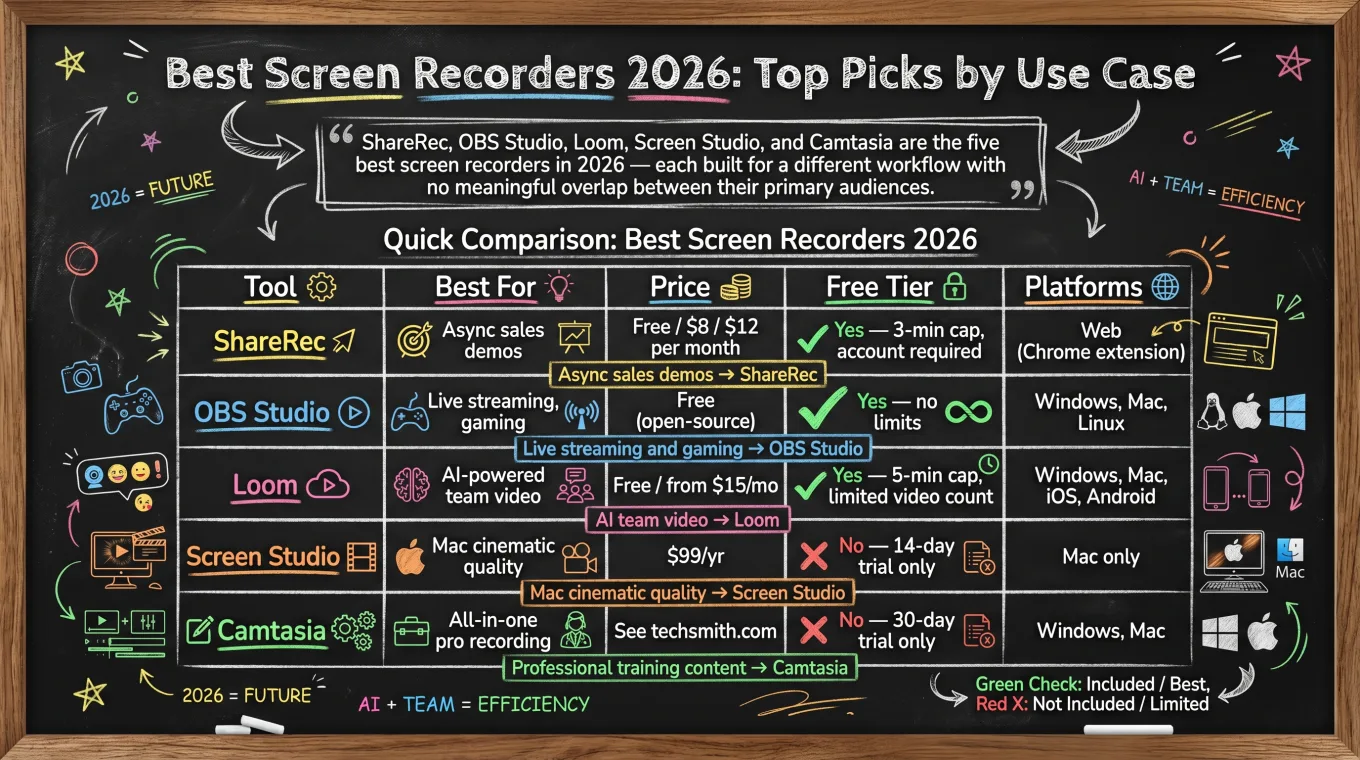
Choosing the best screen recorder 2026 comes down to use case. ShareRec, OBS Studio, Loom, Screen Studio, and Camtasia are the five top tools — each built for a different workflow with no meaningful overlap between their primary audiences.
ShareRec (free with account / $8/mo Pro / $12/mo Business) records screen and voice, then delivers an instant shareable link immediately after every recording — no upload step, on every tier including Free. Videos auto-expire in 30 days by default, and you keep any video forever in one click. No watermark and trim-and-clip editing at $0; the free plan keeps your 25 most recent videos, and Pro and Business add unlimited videos. OBS Studio is fully open-source and free — GPU-encoded via NVENC and AMD VCE — with no recording time or file-size limits on Windows, Mac, and Linux. Loom (from $15/mo) leads AI-powered team collaboration: auto-transcripts, auto-summaries, auto-chapters, and timestamp comment threads, cross-platform across Windows, Mac, iOS, and Android. Screen Studio ($99/yr, Mac only) delivers cinematic-quality recordings with automatic zoom-on-click and Apple Silicon optimization — no free tier. Camtasia handles all-in-one professional production with multi-track editing, SCORM export, quiz insertion, and AI-assisted noise removal on Windows and Mac.
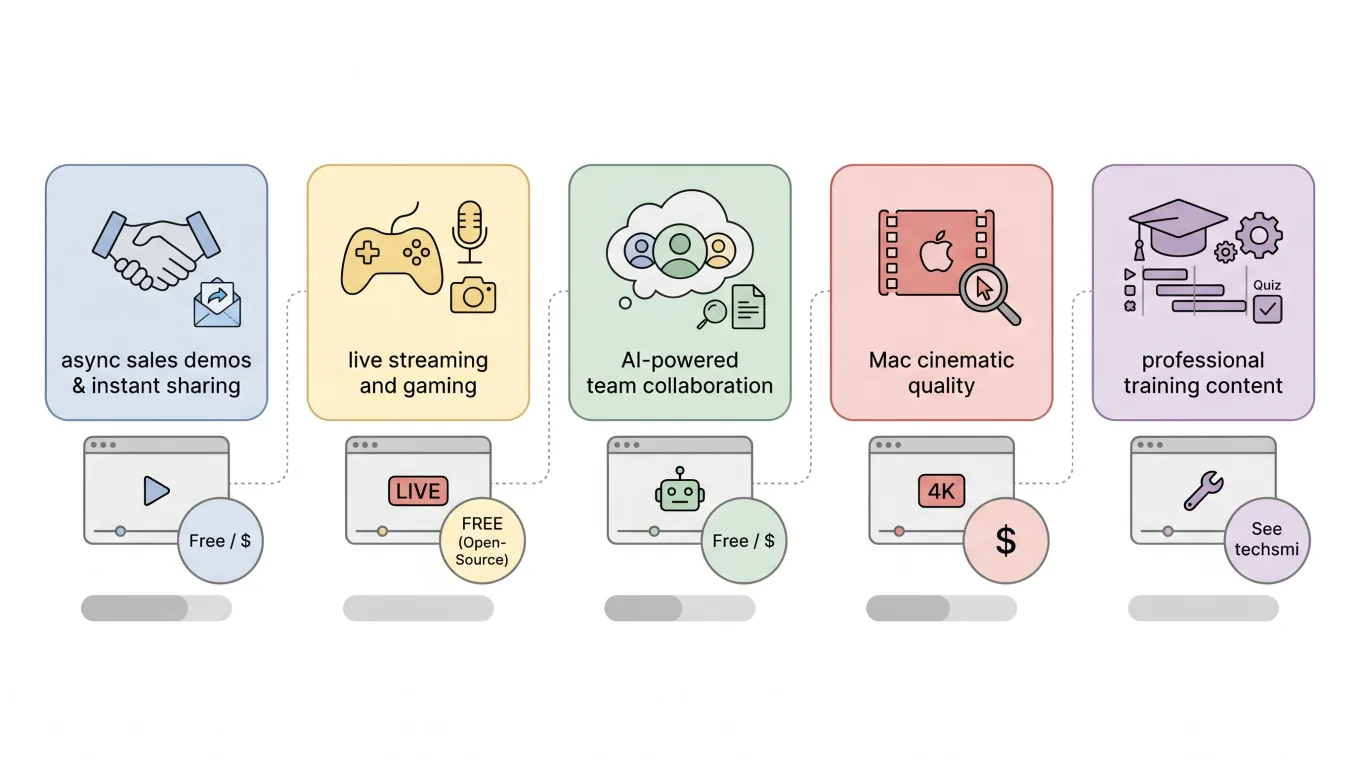
Use case match: async sales demos → ShareRec; live streaming and gaming → OBS Studio; AI team video → Loom; Mac cinematic quality → Screen Studio; professional training content → Camtasia.
Quick Comparison: Best Screen Recorders 2026
| Tool | Best For | Price | Free Tier | Platforms |
|---|---|---|---|---|
| ShareRec | Async sales demos | Free / $8 / $12 per month | Yes — 5-min cap, keeps 25 most recent, account required | Web (Chrome extension) |
| OBS Studio | Live streaming, gaming | Free (open-source) | Yes — no limits | Windows, Mac, Linux |
| Loom | AI-powered team video | Free / from $15/mo | Yes — 5-min cap, limited video count | Windows, Mac, iOS, Android |
| Screen Studio | Mac cinematic quality | $99/yr | No — 14-day trial only | Mac only |
| Camtasia | All-in-one pro recording | See techsmith.com | No — 30-day trial only | Windows, Mac |
Record your first walkthrough free in 30 seconds
No install, no watermark — share a link instantly.
ShareRec — Best for Sales Teams and Async Deal Walkthroughs
ShareRec records screen and voice and generates an instant shareable link after every recording — no upload step, on every tier including Free. Videos auto-expire in 30 days by default, and you keep any video forever in one click. An account is required on all tiers including Free. Best for: sales teams and async deal walkthroughs.
Pricing: Free ($0/mo) — 5-min cap per recording, 720p, 30-day default expiry (keep any forever in one click), no watermark, trim-and-clip editing included, keeps your 25 most recent videos. Pro ($8/mo) — unlimited videos, 30-min cap, 1080p, 30-day default expiry with one-click keep-forever. Business ($12/mo) — unlimited videos, 2-hour cap, 1080p, same 30-day default expiry you can override to keep any video forever. See current pricing.
Four features define ShareRec's niche: an instant shareable link the moment recording stops with no upload step, flexible expiry on every tier — 30-day default with one-click keep-forever, a custom window (Never / 24 hours / 7 days / 30 days), a countdown on each video, and a 3-day warning email before deletion — no watermark on Free, and trim-and-clip editing at $0. At $8/mo, Pro is roughly half the starting price of Loom's paid plans.
Limitations: The Free tier caps each recording at 5 minutes — not suitable for demos or walkthroughs exceeding 5 minutes — and keeps only your 25 most recent videos. ShareRec has no AI features: no auto-transcripts, summaries, or chapters. Editing is trim-and-clip only — no annotations, drawing tools, zoom effects, or overlay. No webcam bubble or reactions overlay. No team workspace or shared video library.
Best for: sales reps sending async prospect walkthroughs, customer support agents delivering visual answers, and freelancers giving clients feedback on projects.
OBS Studio — Best Free Tool for Live Streaming and Gaming
OBS Studio is fully open-source, costs nothing, and runs on Windows, Mac, and Linux with no recording limits and no paid tiers — the established standard for live streaming and gaming capture. Best for: free live streaming and gaming.
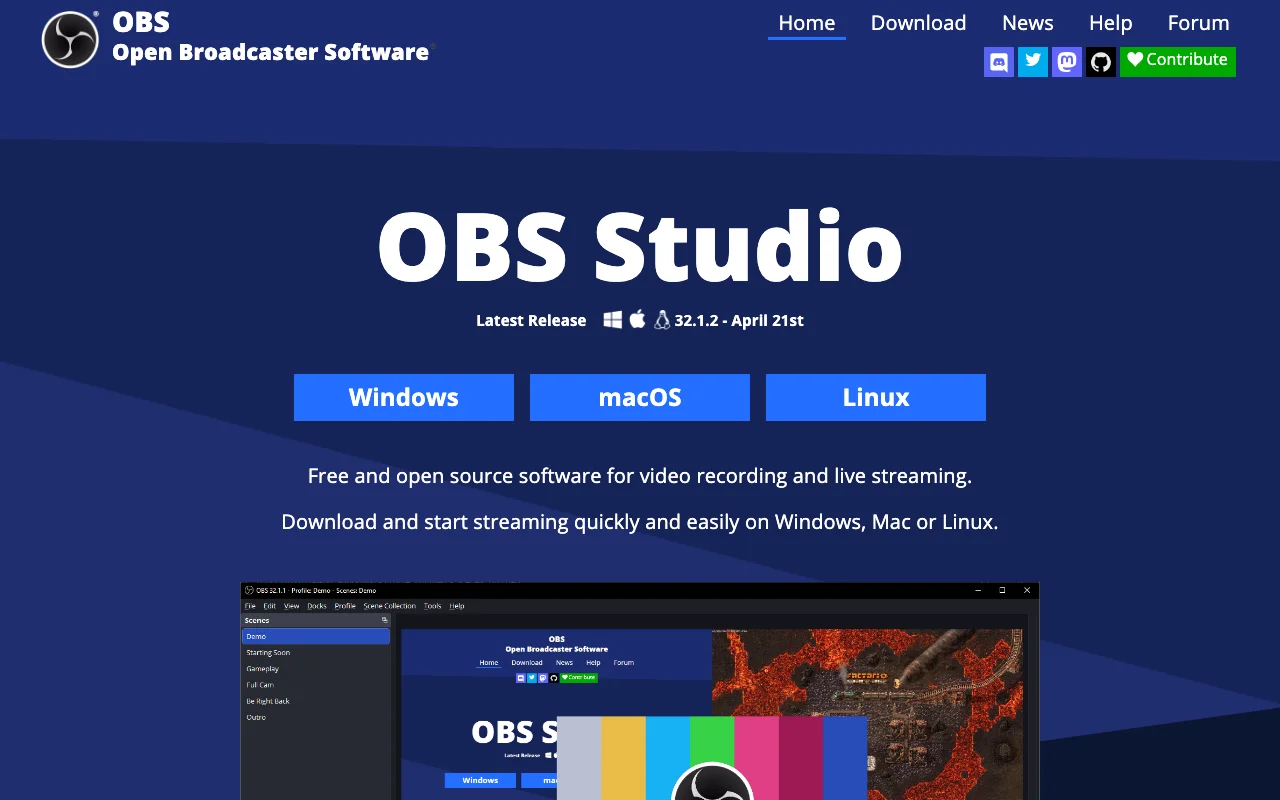
OBS records locally with no time cap and no file-size limit. GPU hardware encoding via NVENC (NVIDIA) and AMD VCE offloads encoding from the CPU, keeping frame rates stable during high-FPS gameplay capture. Multi-source scene mixing combines webcam feeds, game capture, browser sources, and image overlays in a single configurable view. Native Twitch and YouTube streaming integration is built in — no third-party plugin required. An active plugin ecosystem adds noise suppression, virtual camera outputs, remote control interfaces, and closed-caption support. OBS records in MKV or MP4 at any resolution and bitrate the hardware supports, including 4K at 60fps on capable systems.
Limitations: Initial setup takes 30–60 minutes for new users — bitrate, encoder, and scene configuration is entirely manual. OBS has no async link sharing, no cloud video hosting, and no built-in video editor.
Best for: live streamers on Twitch and YouTube, gaming content creators capturing high-FPS gameplay, and users who need free unlimited local recording across any desktop OS.
Loom — Best for AI-Powered Team Collaboration
Loom is the leading async video tool for teams, generating AI auto-transcripts, auto-summaries, and auto-chapters on every recording — available on Windows, Mac, iOS, and Android with paid plans from $15/mo. Best for: AI-powered team video and async collaboration.
Loom's free tier caps recordings at approximately 5 minutes with a limited video count. Paid plans remove these caps and unlock the full AI feature set.
Strengths: AI auto-transcripts, auto-summaries, and auto-chapters generate automatically without manual setup. Comment threads can be pinned to specific timestamps, giving reviewers a way to flag exact moments without scheduling a call. A webcam bubble overlay with emoji reactions is available during recording. Integrations with Slack, Notion, Jira, Linear, and GitHub embed recordings directly in existing workflows. iOS and Android apps support both recording and viewing on mobile.
Limitations: The free tier caps both video count and recording length. The $15+/mo starting price is higher than ShareRec's $8/mo Pro.
Best for: remote and hybrid teams needing searchable video libraries, timestamp-level commenting, and AI-generated summaries integrated with Slack, Notion, or Jira.
Screen Studio — Best for Mac Cinematic Recording Quality
Screen Studio ($99/yr, Mac only) produces cinematic-quality screen recordings with automatic zoom-on-click and cursor spotlight effects — Apple Silicon native, no free tier beyond a 14-day trial. Best for: Mac users needing cinematic recording quality.
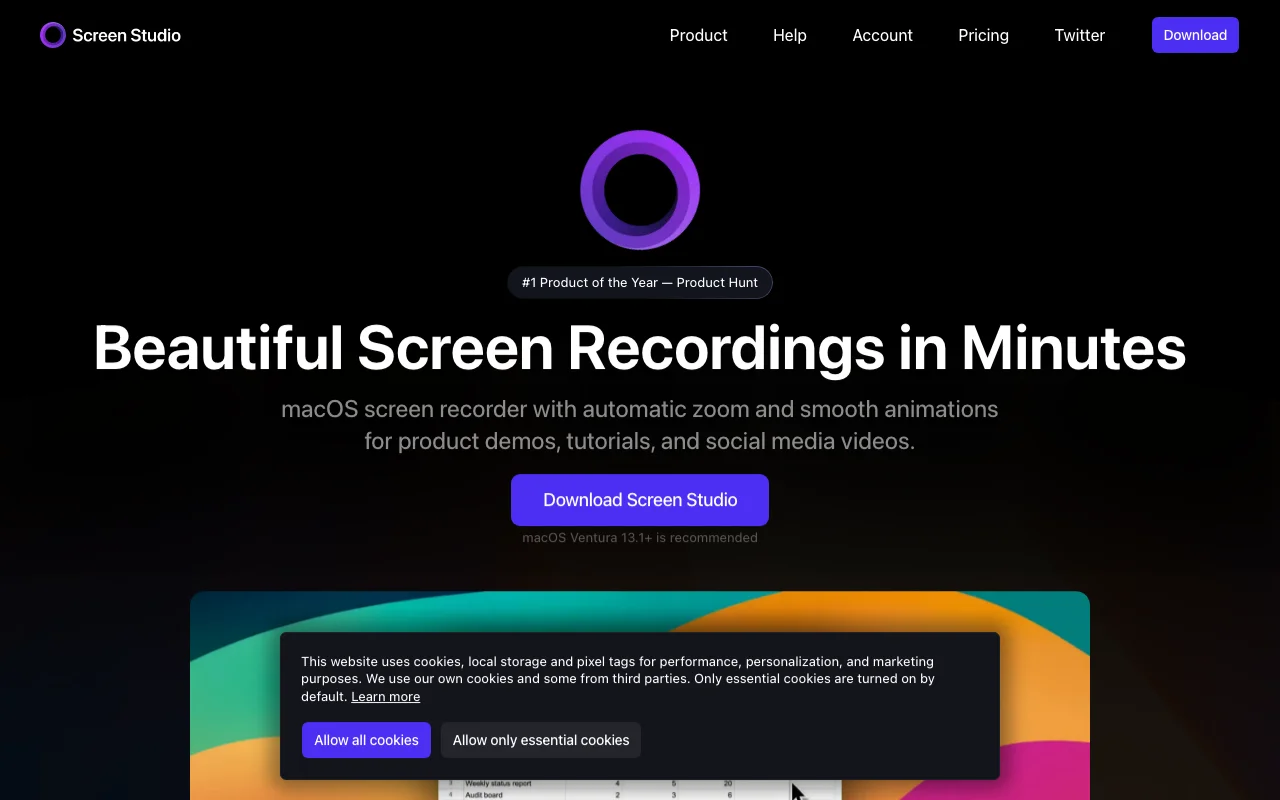
Automatic zoom-on-click focuses on the region being clicked, adding visual emphasis without manual keyframes. Cursor spotlight and smooth cursor animations reduce visual noise in tutorial and demo recordings. The app is native on M1, M2, and M3 Macs. Recordings support up to 4K resolution and include background blur and padding effects for UI demos. Screen Studio saves recordings as local video files — there is no built-in async link sharing or cloud hosting.
Limitations: Mac only — no Windows or Linux version. A $99/yr purchase is required after the 14-day trial with no free tier available. No async link generation, AI transcription, summaries, or team collaboration features.
Best for: Mac-based developers, product marketers, and content creators who publish polished product demos, UI tutorials, and social video clips.
Camtasia — Best All-in-One Professional Recording and Editing Suite
Camtasia by TechSmith is the all-in-one professional screen recorder with a built-in multi-track video editor, SCORM export for eLearning platforms, quiz insertion, and AI-assisted noise removal — available on Windows and Mac. Best for: all-in-one professional recording with a built-in editing suite.
Camtasia targets instructional designers, corporate trainers, and educators producing polished training videos without switching to a separate editor. Pricing is the highest of the five tools compared here; a 30-day trial is available before purchase.
Strengths: Multi-track timeline editing is built in, eliminating a separate application. SCORM export publishes finished videos directly to LMS platforms including Moodle, Canvas, and Cornerstone. Quiz and interactivity elements insert directly into the video timeline. AI-assisted smart noise removal, background removal, and AI-generated scenes are included. Callout animations, zoom-and-pan effects, and annotation overlays are available. A PowerPoint plugin records and imports presentation slides directly.
Limitations: No free tier — 30-day trial only; the highest price point in this comparison. No async shareable link generation — recordings export as video files for manual distribution.
Best for: corporate trainers, instructional designers, and educators who record, edit, add interactivity, and publish training videos to an LMS from a single application.
Key Takeaways: Best Screen Recorder 2026
- ShareRec: Best for async sales demos — instant shareable links on every tier with no upload step, videos auto-expire in 30 days by default (keep any forever in one click), 5-min free cap keeping your 25 most recent videos, unlimited videos on Pro/Business, $8/mo Pro, account required on all tiers including Free.
- OBS Studio: Best free option for streaming and gaming — open-source, GPU encoding via NVENC and AMD VCE, no recording time or file-size limits, Windows/Mac/Linux.
- Loom: Best for AI-powered team video — auto-transcripts, auto-summaries, auto-chapters, timestamp comment threads, Slack/Notion/Jira integrations, from $15/mo.
- Screen Studio: Best for Mac recording quality — automatic zoom-on-click, cursor spotlight, Apple Silicon native, $99/yr, Mac only, no async sharing.
- Camtasia: Best all-in-one professional tool — multi-track editing, SCORM export, quiz insertion, AI noise removal, Windows and Mac, highest price point in this comparison.
Frequently Asked Questions
What is the best free screen recorder in 2026?
OBS Studio is the strongest free option for streaming and gaming — open-source with no recording limits, GPU encoding via NVENC and AMD VCE, and native Twitch and YouTube support on Windows, Mac, and Linux. For async demos, ShareRec's free tier offers a 5-minute cap per recording, instant shareable links, and requires an account on the free plan — it keeps your 25 most recent videos, which auto-expire after 30 days unless you keep them forever in one click.
Which screen recorder is best for sales teams in 2026?
ShareRec leads for async sales demos — instant shareable links on every tier with no upload step, videos auto-expire in 30 days by default (keep any forever in one click), a 5-minute free cap (keeps your 25 most recent videos), unlimited videos on Pro/Business, and $8/mo Pro. An account is required on all tiers including Free. Loom ($15+/mo) is the alternative for teams that also need AI transcripts and a shared searchable video library.
What is the best screen recorder for Mac in 2026?
Screen Studio ($99/yr, Mac only) delivers cinematic-quality recordings with automatic zoom-on-click, cursor spotlight effects, and Apple Silicon optimization — no free tier, 14-day trial available. Loom covers cross-platform async video with AI transcripts and summaries. ShareRec ($8/mo Pro, account required) handles quick async demos at a lower price point.
What is the best screen recorder for live streaming in 2026?
OBS Studio is the standard — free, open-source, GPU-encoded via NVENC and AMD VCE, with native Twitch and YouTube integration on Windows, Mac, and Linux. Streamlabs, built on the OBS engine, offers a simplified setup UI with pre-built scene templates for new streamers who find OBS manual configuration complex.
Which screen recorders include AI features in 2026?
Loom generates AI auto-transcripts, auto-summaries, and auto-chapters automatically on every recorded video. Camtasia includes AI-assisted smart noise removal, background removal, and AI-generated scene effects in its editing suite. OBS Studio, ShareRec, and Screen Studio do not include AI features as of 2026.
Try it free
Record your first walkthrough free in 30 seconds
No install, no watermark — share a link instantly.
Start Recording Free